Article · 9 min read
AI Training for Corporate Teams in India: What to Look For
A buyer's checklist for Indian companies hiring an AI trainer: a common session plus team-specific sessions, practice files, the tools you already pay for, data rules before anyone pastes a file, and follow-through after the day. With real examples from In4Velocity, Delhi Electric Company, NTPC and Meenakshi Polymers.
By Surendra Pandar, AI Trainer ·
In short
- Good corporate AI training in India is built on your teams' real work, not on slides about the future of AI.
- Look for two layers: one common session for everyone, then separate sessions for each function (sales, HR, finance, operations, support, IT).
- Train on the tools you already pay for first: Gemini inside Google Workspace or Copilot inside Microsoft 365, then Claude or ChatGPT where they fit better.
- Data rules come before the first upload: what never goes into an AI tool, how to mask names and numbers, and which accounts are approved.
- Ask what happens after the day: a 30-day plan, prompt books, and a few internal champions who keep it going.
Why many AI workshops in India change nothing
Most Indian companies already have AI on every desk. Gmail and Docs have Gemini inside them, Microsoft 365 has Copilot, and almost everyone has ChatGPT, Claude or Gemini on their phone. Yet many teams still use it for the odd email and nothing else.
The usual cause is the training itself. A two-hour talk on what AI is, a few impressive demos, a round of applause, and on Monday people go back to doing the work by hand. The session was about AI. It was not about their work.
This page is a checklist for HR heads, L&D managers and business owners who are comparing AI trainers. It is written by Surendra Pandar, an AI trainer based in Jaipur, and every point comes from sessions he has run for corporate teams, PSUs and universities in India.
1. It starts from where your team's time goes
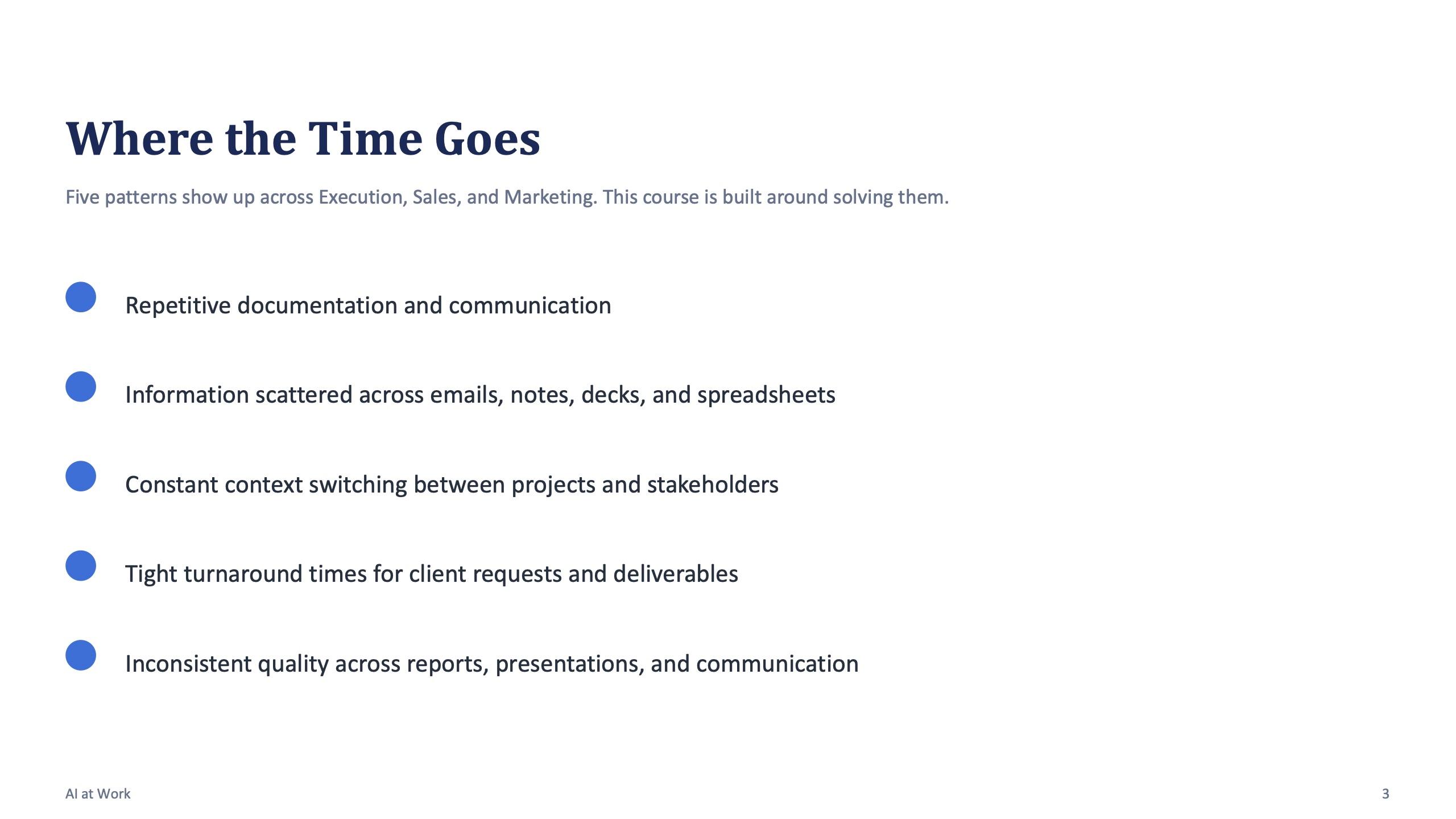
Before any agenda, a good trainer asks what your people spend their week on. The pattern is similar in most Indian offices: repetitive documentation and email, information scattered across mail, notes, decks and spreadsheets, constant switching between clients and projects, tight turnarounds, and uneven quality from one person to the next.
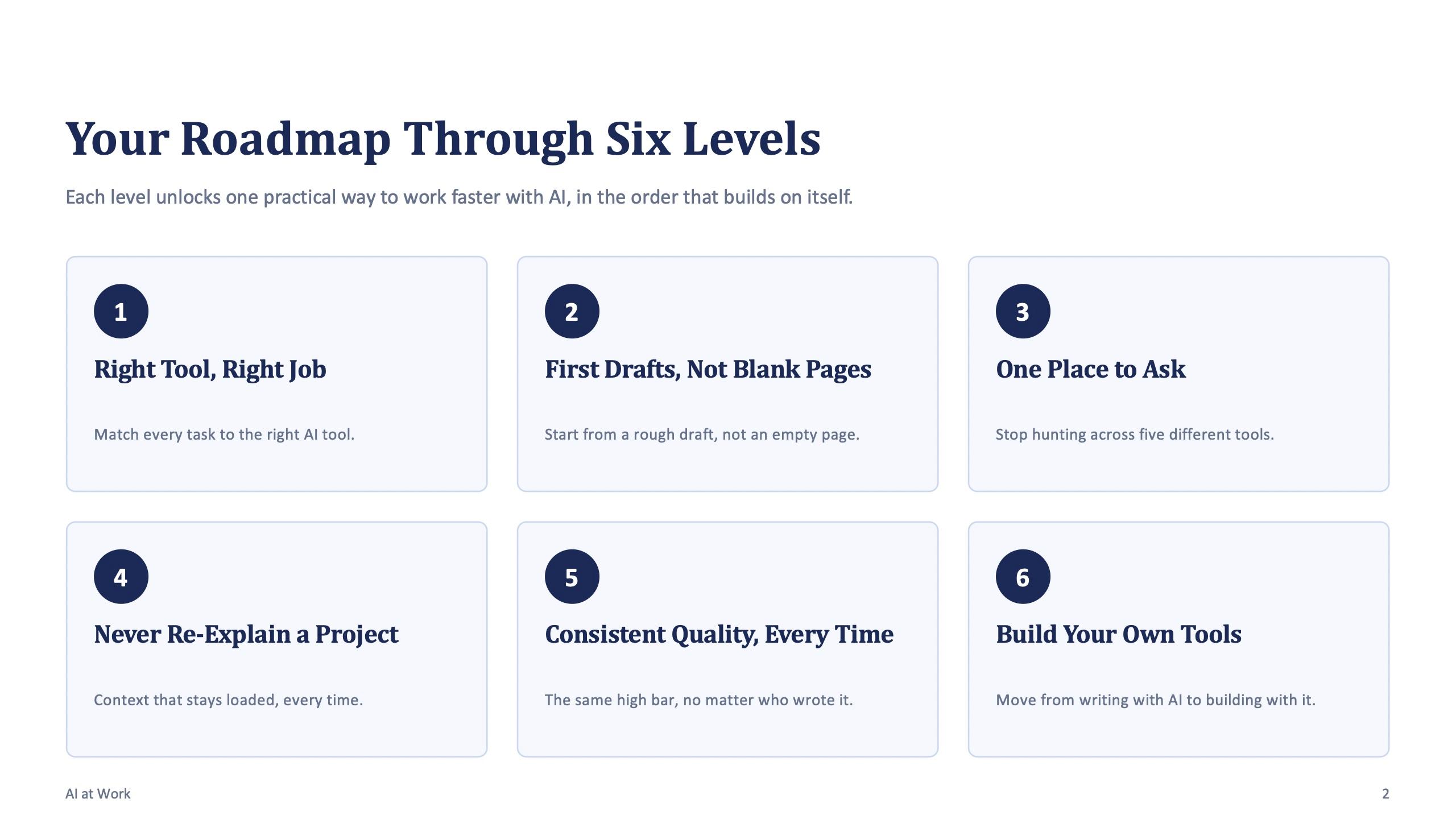
A course designed for the execution, sales and marketing teams of a consulting firm opened with exactly that list, and every level of the course was built to fix one item on it.
If a trainer sends you a standard agenda before asking about your work, treat it as a warning sign.
2. One common session, then a session for each team
Sales, HR, finance and support do different work, so one generic session cannot serve all of them. The structure that works is two layers. First, one common session for everyone: the basics, how to write a good prompt, how to check the output, and what must never be pasted in. Then a separate session for each team, built on that team's real tasks.
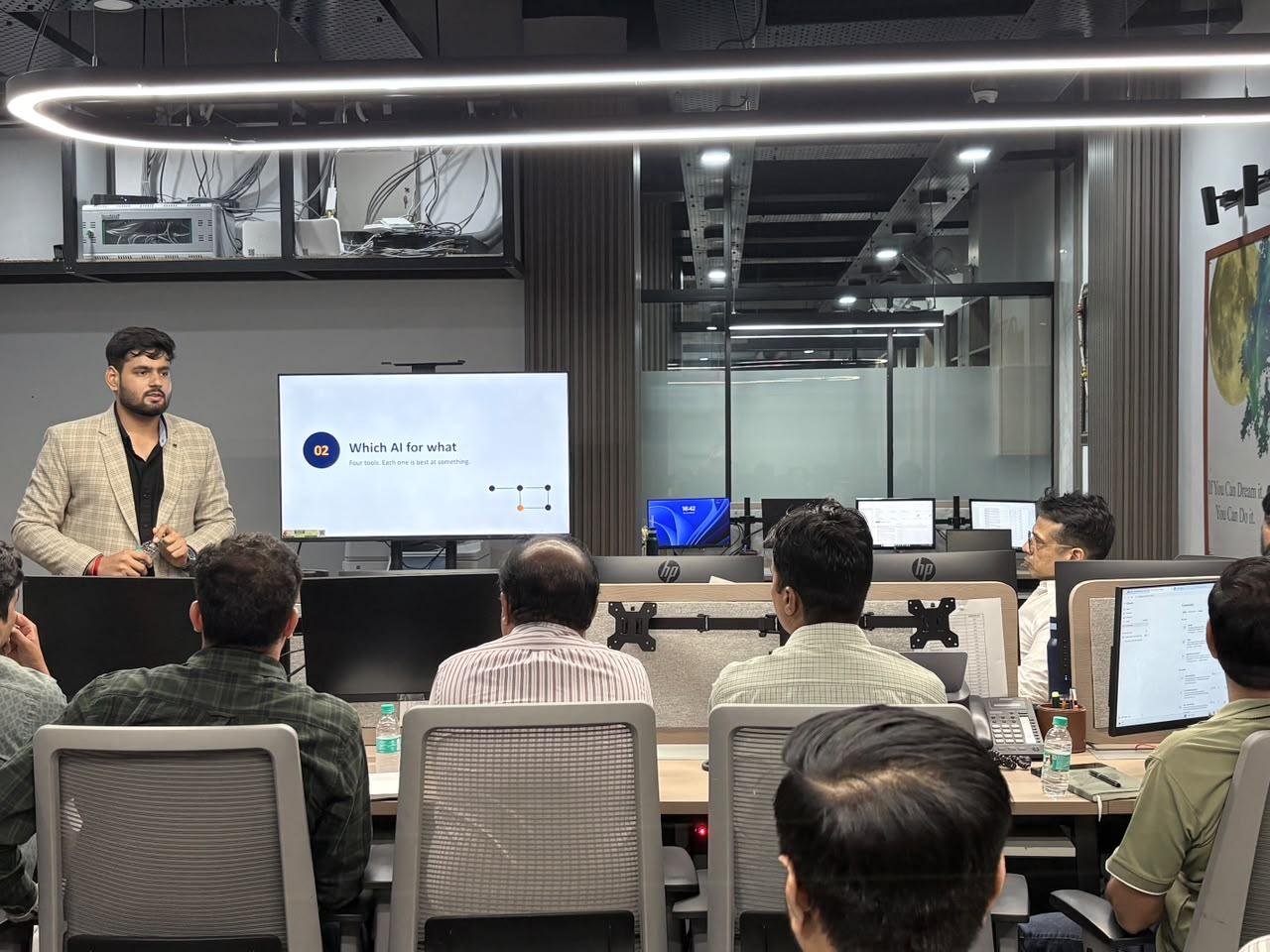
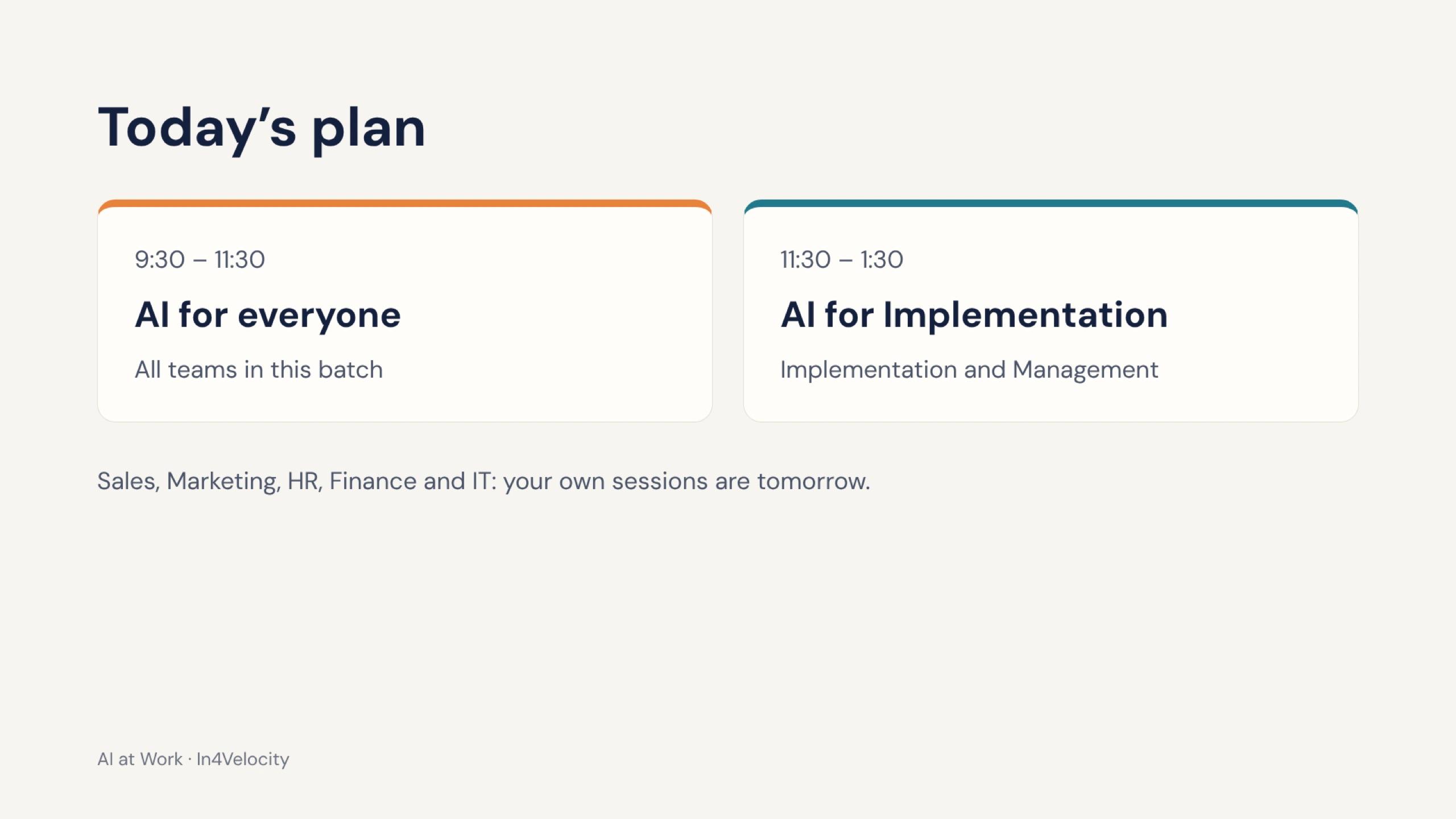
At In4Velocity, an on-site program in October 2026, Day 1 opened with “AI for everyone” for all teams in the batch, followed by a session just for implementation and management. The slide told the room plainly that sales, marketing, HR, finance and IT would get their own sessions the next day, and client support had a separate session of its own.
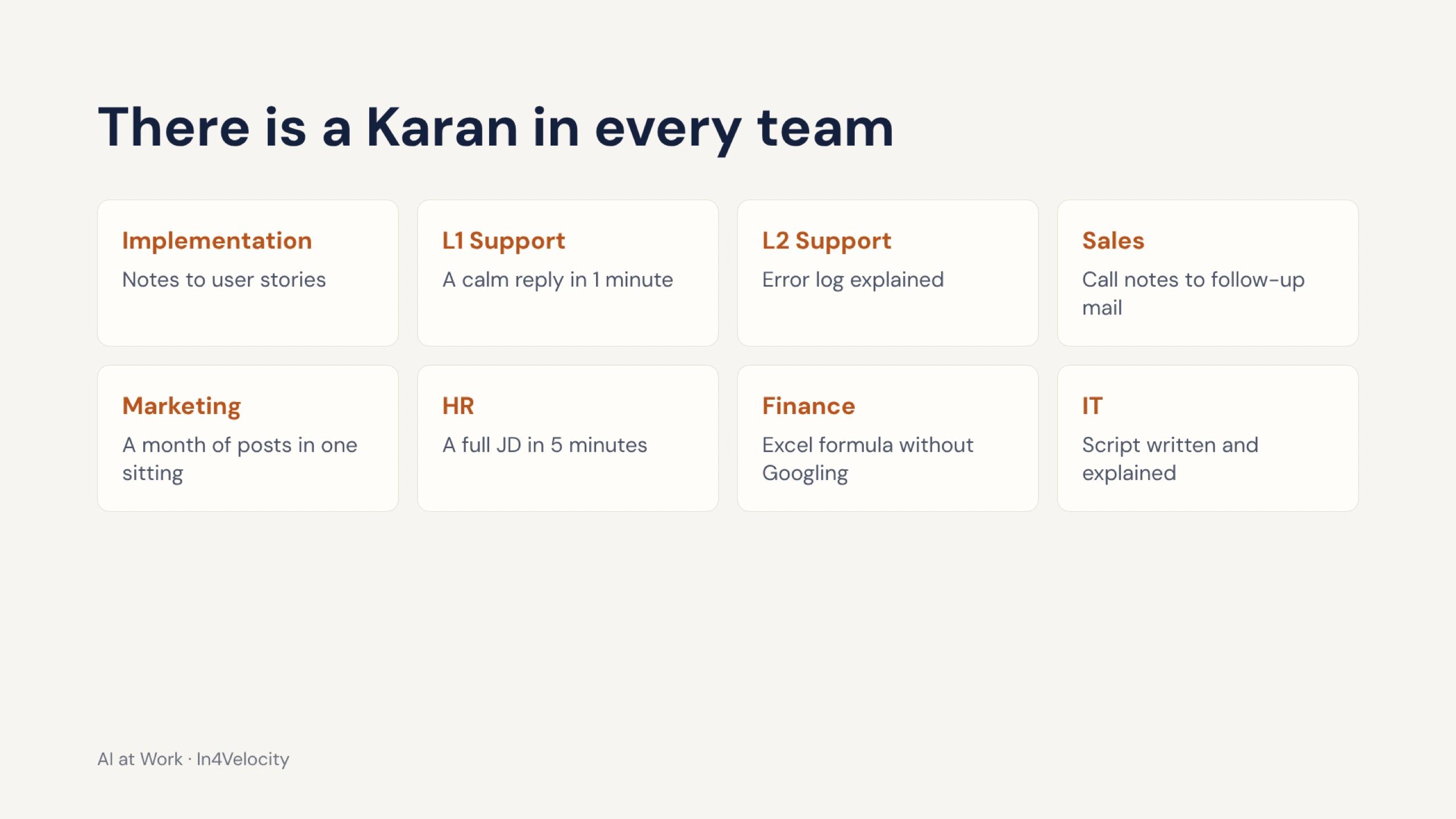
The day was told through Karan, a fictional implementation consultant with a fictional client and a go-live ten days away. His week, from a 40-mail client thread on Monday to an angry client call on Friday, is the week most people in the room recognised. That is what makes a session feel like it is about them.
3. People type more than they listen
Ask any trainer what share of the day participants spend doing. In Surendra's sessions the opening slide says it directly: you will type more than you listen. Each block ends with a timed exercise on practice files, and the files are fictional but look like the team's real work, so nobody pastes a live client document on day one.
Practice files matter more in India than people expect. Many teams handle customer phone numbers, PAN details, payment records and tender documents. A trainer who asks everyone to upload “a real file” is teaching the wrong habit from the first hour.
| What a hands-on lab looks like | Example from a real session |
|---|---|
| Rewrite your own requests as strong prompts | Copilot course: rewrite three things you asked a colleague to write last month |
| Clear a messy practice inbox | Copilot course: summarise the longest thread, draft three replies, write one client follow-up |
| Turn rough notes into a document | In4Velocity: requirement notes into user stories for a go-live |
| Work on a practice spreadsheet | Copilot course: analyse a sales workbook and write an insight summary |
| Map AI to your own function | NTPC: three weekly tasks, one AI idea and one risk each, presented in 60 seconds |
4. It trains on the tools you already pay for
Many Indian companies run on Google Workspace or Microsoft 365. Their staff already have Gemini or Copilot in the apps they open every morning, and nobody has shown them how to use it. A good trainer starts there before selling anyone a new subscription.
For Google Workspace teams, the Meenakshi Polymers session opened with one line: you already pay for these tools, and most of it is switched off. The day then covered Gemini in Gmail, Docs, Sheets, Slides, Forms, Meet and Drive, plus NotebookLM. For Microsoft 365 teams, Surendra's Copilot course runs over three or four days of four hours each: how Copilot works and what it can and cannot see, a four-part prompt formula (goal, context, source, expectations), then Outlook, Teams, Excel, PowerPoint and Word, and finally cross-app workflows and safe use.
Tool loyalty is the other trap. The In4Velocity deck put it in one line: don't marry one tool, pick the right one for the job. Gemini when you are already in Gmail or Docs, Claude for long documents and careful writing, ChatGPT for quick general questions, Copilot inside Microsoft apps. The tool-choice guide covers this in detail.
5. Data rules come before the first upload
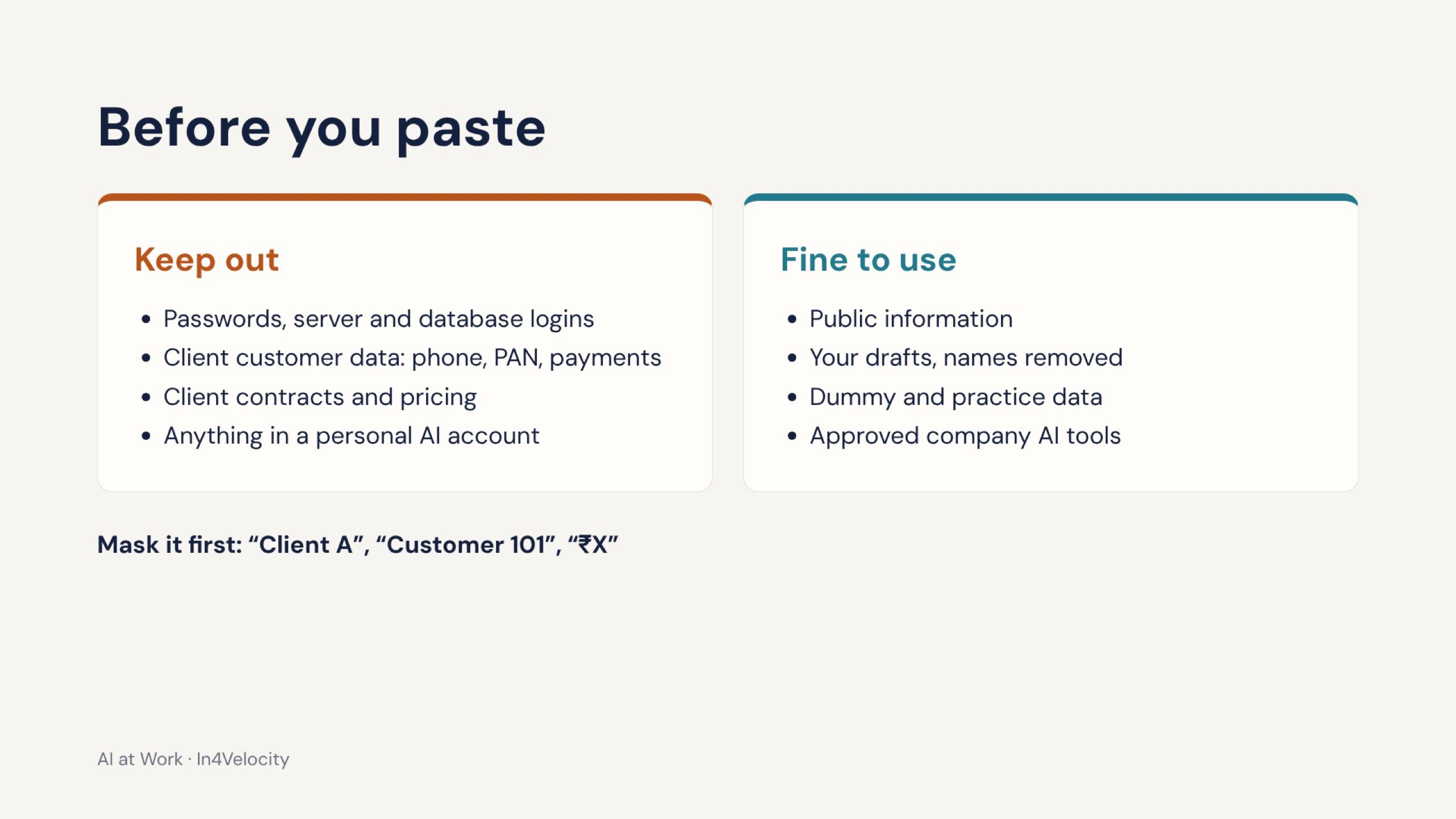
In India this is not optional. The Digital Personal Data Protection Act applies to customer and employee data, and clients expect their contracts and prices to stay private. Training should set the rules before anyone opens a tool, not as a closing slide.
The In4Velocity slide is a good model because it is concrete. Keep out passwords and server logins, customer data such as phone numbers, PAN and payments, client contracts and pricing, and anything in a personal AI account. Fine to use: public information, your own drafts with names removed, dummy data and approved company tools. Mask before you paste: “Client A”, “Customer 101”, “₹X”.
6. It connects AI to a real workflow, not single tricks
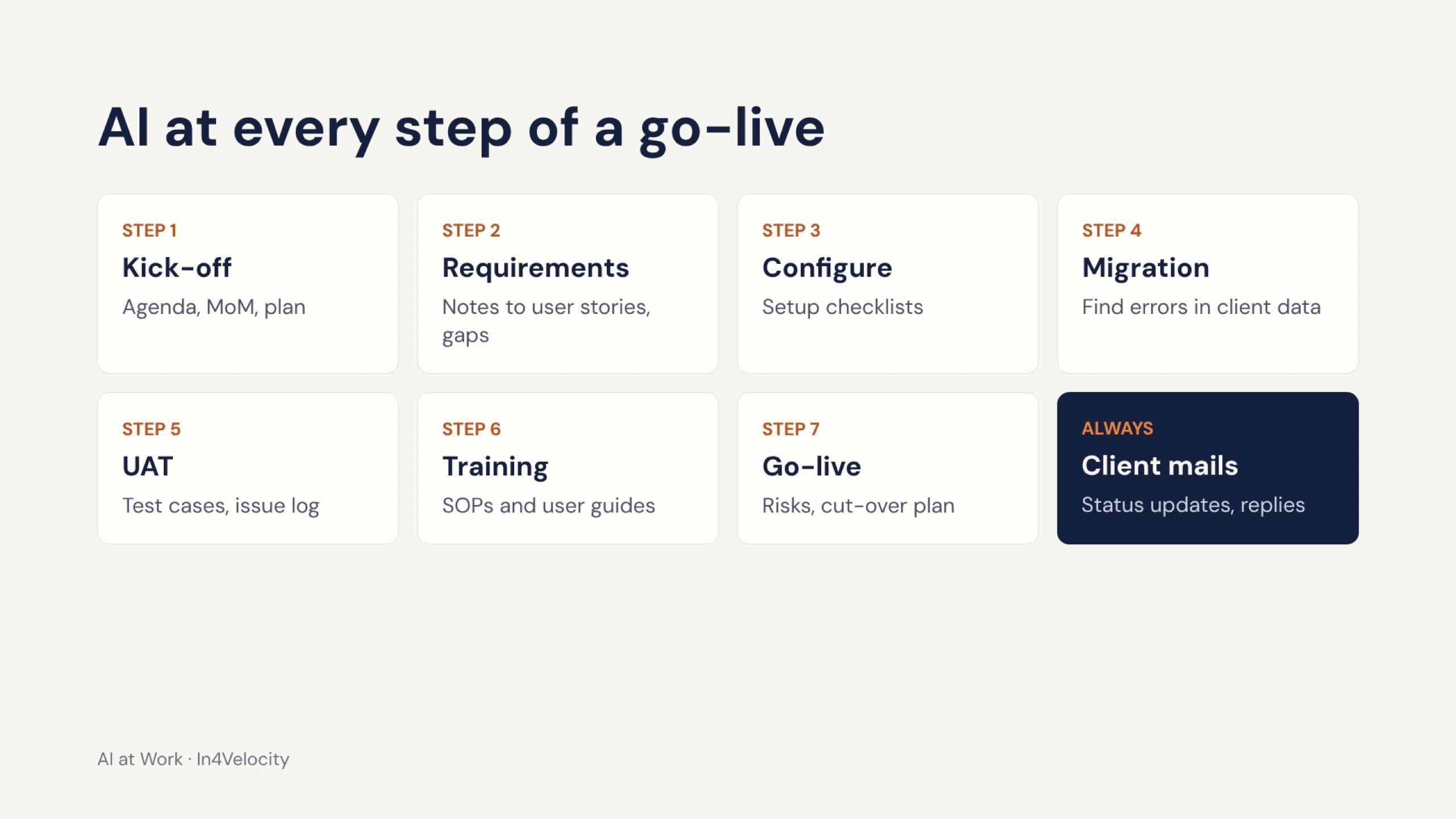
Single prompts impress in a demo. Time is saved when AI sits inside a process the team runs every week. Look for a trainer who walks through one of your workflows from start to finish and shows where AI drafts, where a person checks, and where nothing should be automated.
For an implementation team, that meant the whole software go-live: kick-off agenda, requirements to user stories, configuration checklists, data migration checks, user acceptance testing, SOPs and training material, go-live plans and the weekly client status mail.
7. It has a plan for after the day
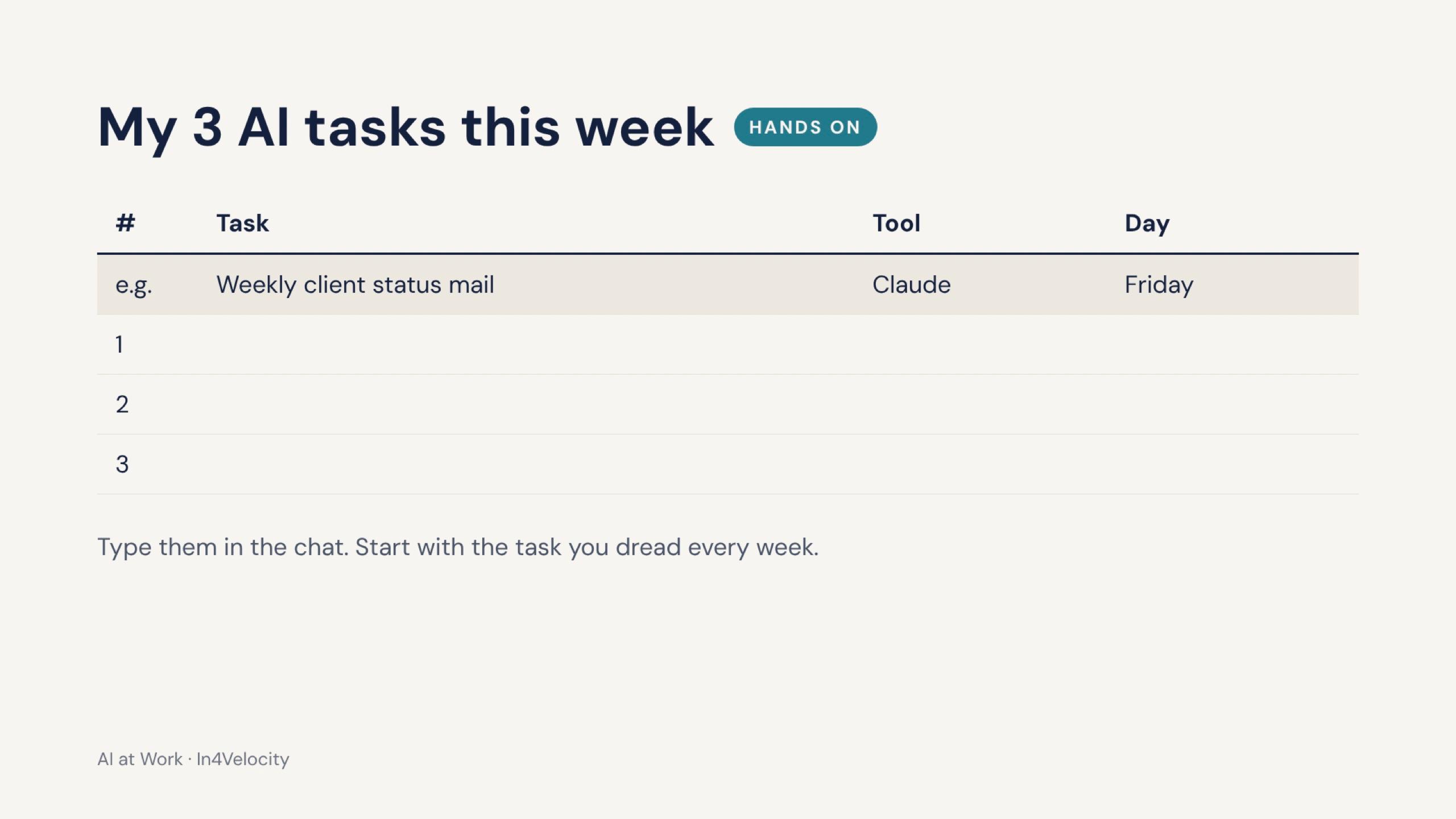
The session is the start. Ask the trainer what happens over the next month. At minimum, every participant should leave with three AI tasks written down for the coming week, a prompt book for their department, and a simple 30-day plan. The In4Velocity session closed with one instruction: use it three times this week, and by Friday it is a habit.
For larger companies, Surendra's adoption plan adds three more layers: help choosing and setting up company accounts with admin control instead of free personal accounts, a short plain-language AI policy (what can go in, who approves new tools, how use is checked), and ten to fifteen internal champions, roughly one per team, trained in more depth so questions do not all land on IT.
On-site, online or both?
Both work if the session is built around exercises. On-site suits a single office, leadership groups and campuses: Delhi Electric Company (11 departments) and Meenakshi Polymers (about 30 people from nine departments) were full days on-site, and In4Velocity ran two days in batches. Live online suits spread-out teams: the NTPC session for RLI Kaniha and the two-day QuickLearn Claude Foundations program were online, with exercises done during the call.
For a team in Jaipur or elsewhere in Rajasthan, on-site is usually simple to arrange. For teams across India or abroad, a mix works well: one on-site day for the common session, then shorter online sessions per team.
Questions to ask any AI trainer
- Which organisations have you trained, and can I read case studies or what participants said?
- Will you ask about our teams' work before you send an agenda?
- How much of the day is hands-on, and what practice files will people use?
- Will you train on the tools we already have, such as Gemini in Workspace or Copilot in Microsoft 365?
- What data rules do you teach before the first upload?
- What will each person leave with, and what happens over the next 30 days?
- Can sessions run separately for sales, HR, finance, operations and support?
Where to see real examples
The case studies on this site show how these sessions ran: Delhi Electric Company, NTPC, Meenakshi Polymers, IIA Qatar and the QuickLearn Claude Foundations program. The full list of trainings, including universities such as Parul University and Malla Reddy University, is on the trainings page.
If you are planning AI training for your team, book a free scoping call through the contact page. The first question will be where your team's time goes.
Frequently asked questions
What should corporate AI training in India include?
A common session on basics, prompting, checking output and data rules; separate hands-on sessions for each function built on their real tasks; practice files with fictional data; training on the tools the company already uses; and a 30-day plan with prompt books and internal champions.
Should we train on ChatGPT, Gemini, Copilot or Claude?
Start with what your company already pays for: Gemini if you are on Google Workspace, Copilot if you are on Microsoft 365. Then show where Claude or ChatGPT fit better, for example long documents or quick general questions. The goal is the right tool for each job, not one tool for everything.
How does AI training handle data privacy in India?
It should set rules before anyone uploads a file: no passwords, customer phone, PAN or payment data, contracts or pricing in AI tools; mask names and amounts; use only company-approved accounts. This supports compliance with the Digital Personal Data Protection Act and client confidentiality.
Does Surendra Pandar train teams outside Jaipur?
Yes. He is based in Jaipur and works with companies, PSUs and universities across Rajasthan, the rest of India and abroad, on-site and live online.
How long should a corporate AI training program be?
One full day covers a common session and department labs for a single office. Two days suit companies that want a common day plus separate sessions per team. A tool-specific course, such as Microsoft 365 Copilot, can run over three or four half-days.