Guide · 14 min read
How to Train Your Team on AI: A Practical Guide to Save Time and Money
A step-by-step playbook for training a corporate team, PSU or university department on AI: find the tasks, group people by function, run hands-on labs on practice files, set four red lines, and make the habit stick for 30 days. Built from the kits Surendra Pandar used at NTPC, Delhi Electric Company, Meenakshi Polymers and QuickLearn.
By Surendra Pandar, AI Trainer ·
In short
- Train on the team's own work, not on AI theory. Every session in this guide spends more time with people doing tasks than watching slides.
- Group people by function (buying, engineering, money and people, sales) and give each group its own exercise card and practice files with fictional data.
- Teach one prompt formula that works in every tool: CRAFT, which stands for Context, Role, Action, Format and Tone. Then teach the follow-up question.
- Agree the safety rules before anyone pastes a file: four red lines covering checking, confidential data, sources and ownership of the output.
- End with a written commitment (three AI tasks for this week) and a 30-day challenge. The training is the start; the habit is what saves time and money.
Why most AI training changes nothing
Most organisations in India already have access to AI. Gmail and Docs have Gemini inside them, Microsoft 365 has Copilot, and almost everyone has a free ChatGPT, Claude or Gemini account on their phone. The gap is not access. The gap is practice.
The usual pattern looks like this. Someone types a one-line request, gets a vague answer, decides AI is overrated and goes back to doing the work by hand. Or a company books a two-hour talk on “the future of AI”, everyone enjoys it, and nothing changes on Monday.
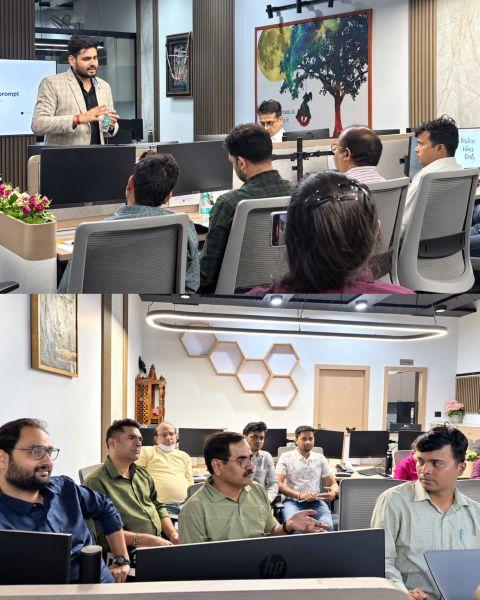
This guide is the method Surendra Pandar uses for corporate teams, PSUs and universities. It is not a theory of change management. It is the actual structure of the sessions: the folder people receive, how the room is grouped, what the hands-on labs look like, the rules agreed before anyone uploads a file, and what people commit to at the end. The examples come from real sessions: NTPC at RLI Kaniha (9 July 2026, online), Delhi Electric Company (17 October 2026, 11 departments), Meenakshi Polymers (19 September 2026, about 30 people across nine departments) and the two-day QuickLearn Claude Foundations program (31 October and 1 November 2026).
Step 1: Decide the outcome before the agenda
Write down what people should be able to do by the end of the day, as finished outputs, not topics. “Understand generative AI” is a topic. “Turn a 180-page tender into an eligibility checklist” is an output.
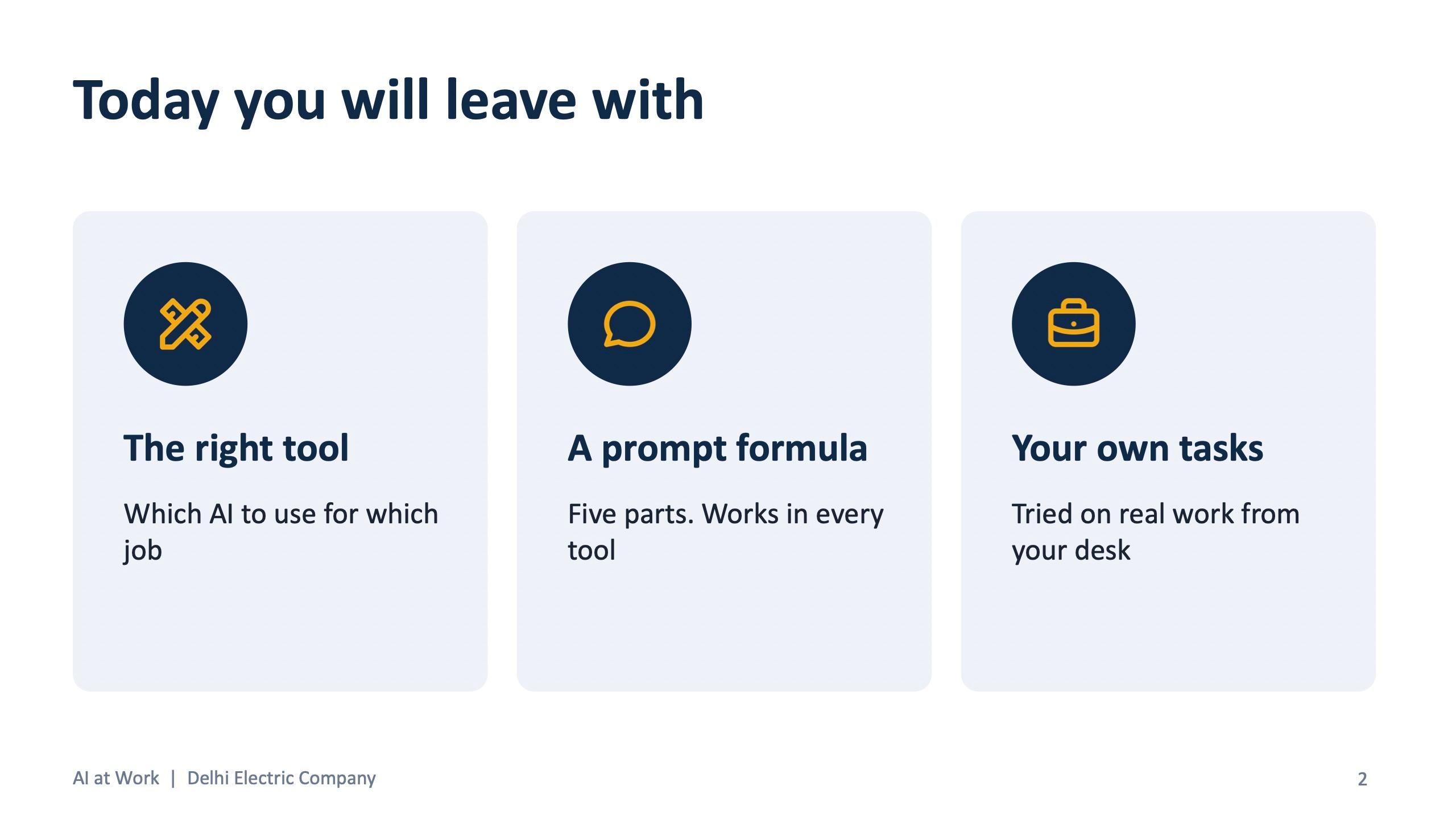
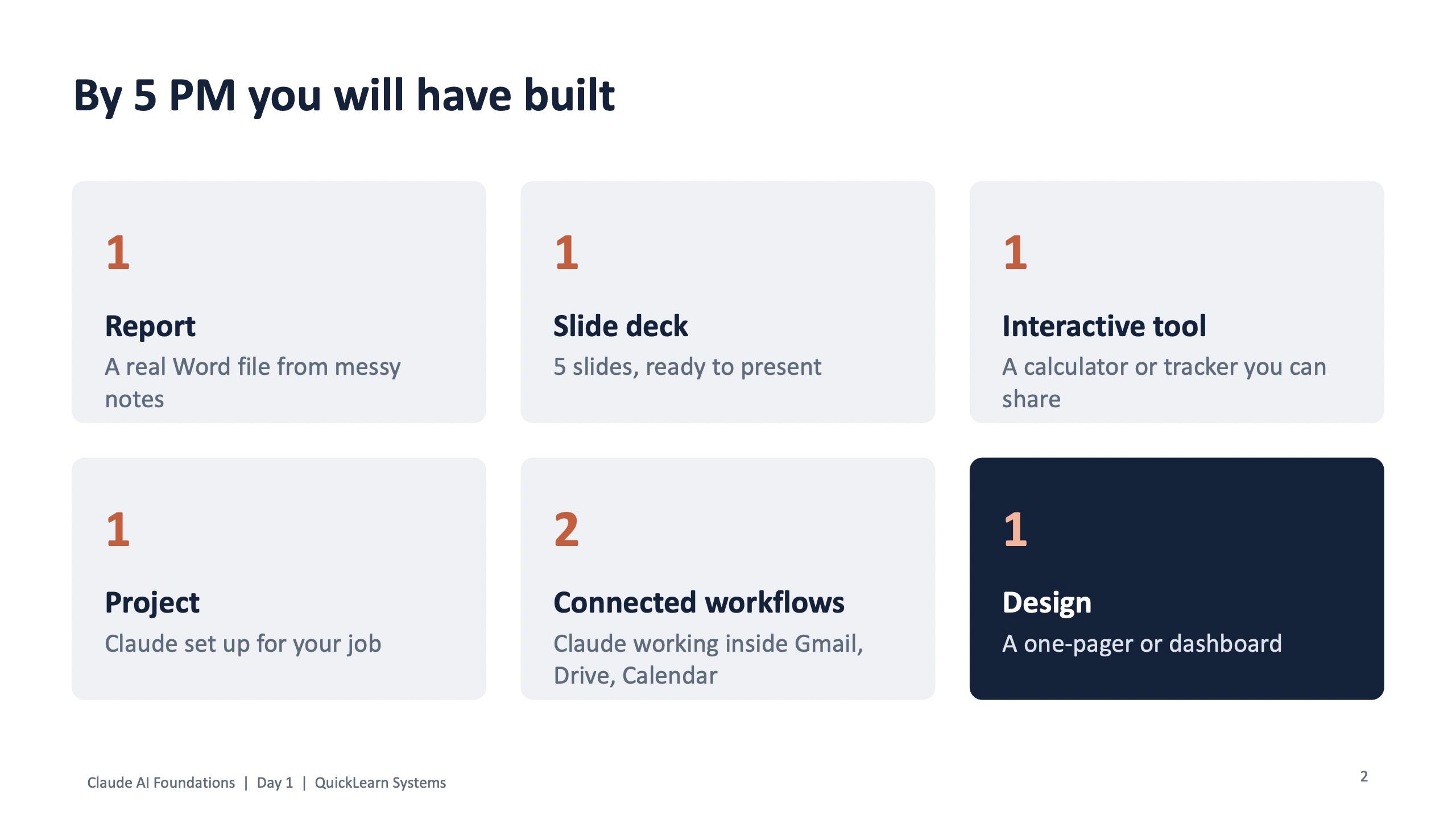
Every session deck opens with this promise. At Delhi Electric Company the slide said people would leave with the right tool for each job, a prompt formula that works in every tool, and their own tasks tried on real work from their desk. The QuickLearn Day 1 deck goes further and lists what each participant will have built by 5 PM.
If you cannot write the outcome as a list of things people will have made, the session will drift into a lecture.
Step 2: Find the repetitive work, by function
Before choosing tools, list the work. Good candidates for AI follow a pattern (reports, emails, summaries, checklists, data clean-up), come round every week, and are easy to check before they matter.
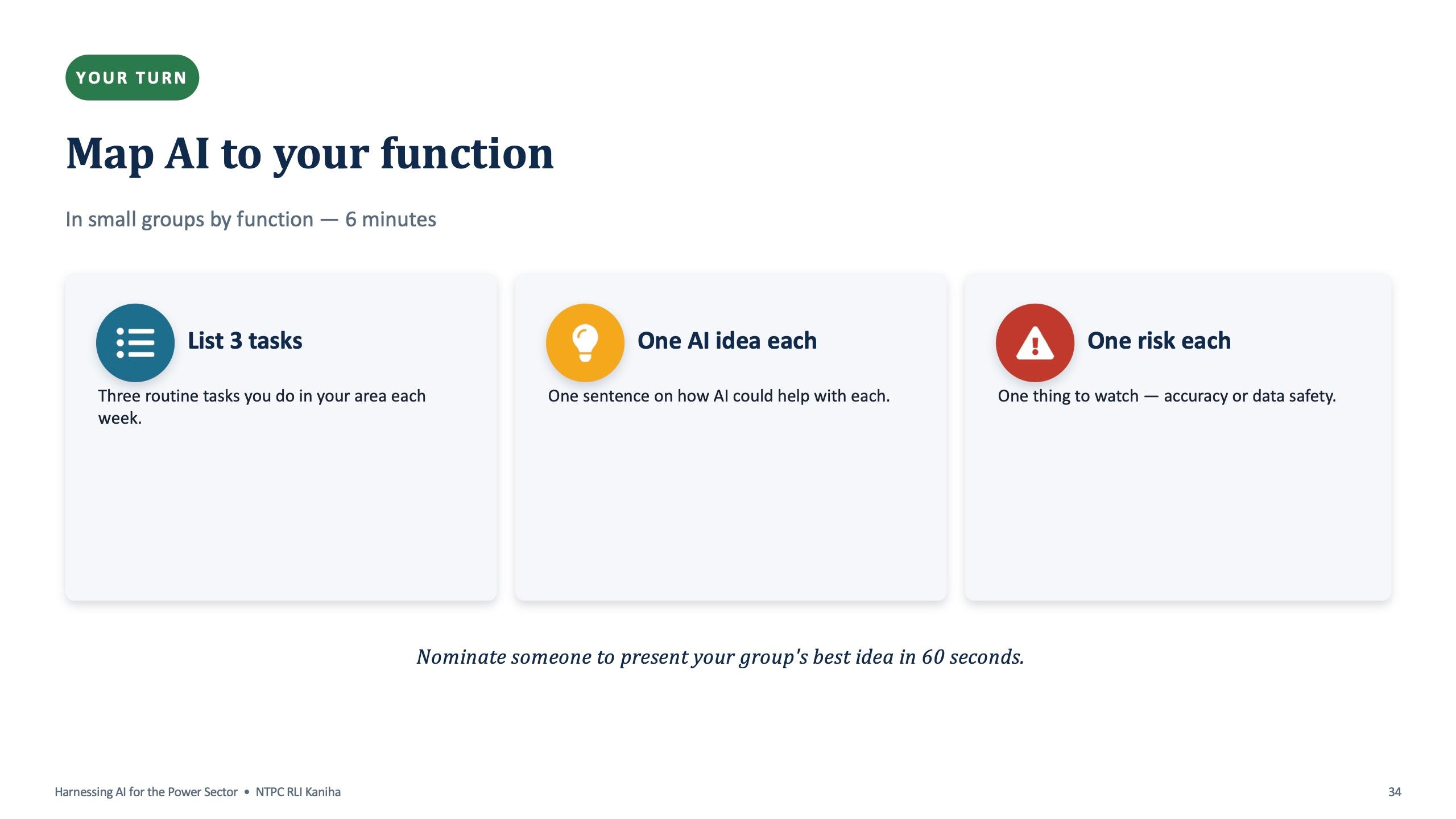
The quickest way to find them is to ask the people who do the work. At NTPC the room did a six-minute exercise in small groups by function: list three routine tasks you do each week, write one sentence on how AI could help with each, and name one risk for each, either accuracy or data safety. One person per group then presented the best idea in 60 seconds.
That exercise does two jobs. It gives you a real use-case list for your organisation, and it gets people thinking about risk in the same breath as benefit, which is what a PSU or any regulated business needs.
| Function | Typical repeated work AI can draft or check |
|---|---|
| HR | Job descriptions, policy circulars, onboarding plans, answering policy queries |
| Finance and accounts | Invoices to tables, vendor reconciliation, expense summaries |
| Operations, purchase and stores | Late-order lists, follow-up emails, reorder lists, goods received vs PO |
| Sales and marketing | Meeting notes to action items, proposal outlines, follow-up emails |
| Engineering and projects | Tender checklists, specifications from rough notes, weekly client reports |
| Safety, contracts, reporting (PSU) | Incident patterns, contract key dates, minutes and reports |
The rows above come from the function slides and exercise cards used at NTPC and Delhi Electric Company. Your list will be different, which is the point: the session should be built around your list, not a generic one.
Step 3: Group people by function, not by seniority
Mixed rooms work for the first hour, when everyone learns the same basics. They stop working at the hands-on stage, because a stores officer and a design engineer need different files to practise on.
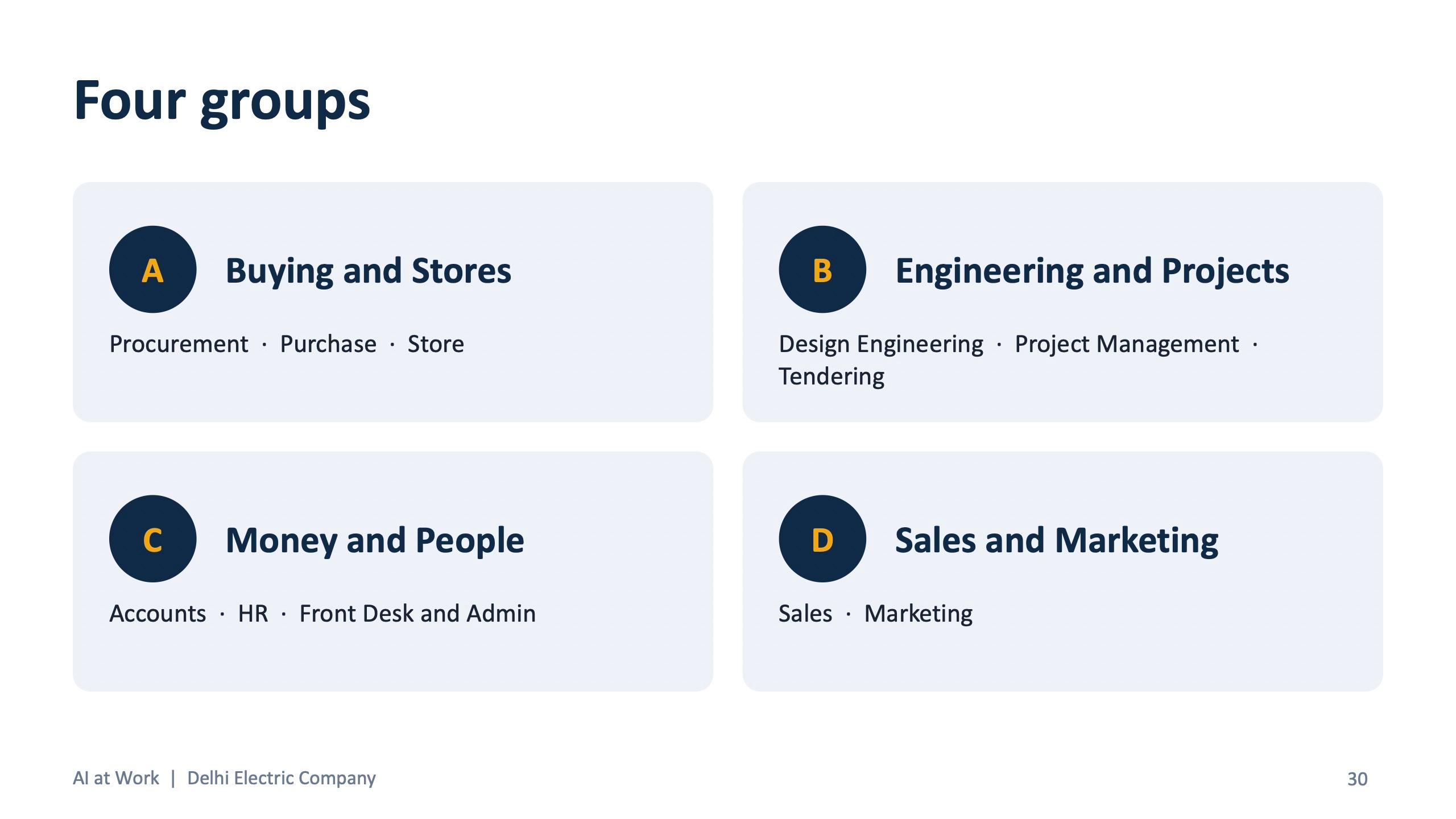
At Delhi Electric Company, 11 departments were put into four groups for the labs: A, Buying and Stores (procurement, purchase, store); B, Engineering and Projects (tendering, design engineering, project management); C, Money and People (accounts, HR, front desk and admin); and D, Sales and Marketing. Each group's practice files started with its letter, so people could find their own material in seconds.
QuickLearn did the same thing with role cards instead of departments: project manager, analyst, consultant, HR, marketing and operations, all working on the same fictional company so the examples connected.
Step 4: Pick tools people already have
The cheapest saving is using what you already pay for. If the company runs on Google Workspace, Gemini is already inside Gmail, Docs and Sheets. If it runs on Microsoft 365, Copilot is inside Outlook, Excel and Word. Train on those first.
For the labs, free versions are enough. The Delhi Electric start-here sheet told everyone to log in to at least one of Claude, ChatGPT, Gemini or Copilot Chat before the session, and said plainly that free versions work for every exercise. Paid plans matter for some features, such as scheduled tasks in Claude, which QuickLearn's setup guide flagged before Day 2.
Do not make the team loyal to one tool. The rule taught in the sessions is simple: Copilot inside Office, Claude for long documents and careful writing, ChatGPT as the everyday all-rounder, Gemini when you need fresh information or work inside Google. The full comparison is in the guide on which AI tool to use for which job.
Step 5: Teach one prompt formula, then the follow-up
Every session uses the same five-part formula, CRAFT: Context, Role, Action, Format, Tone. It works in every tool, so it survives the next product launch.
The second lesson matters as much as the first: ask again. The first answer is a draft. “Make it shorter”, “Put it in a table” and “What did you assume?” are where most of the value comes from. Every exercise card in the Delhi Electric kit ends the same way: after the starting prompt, ask one follow-up of your own.
Here is what a CRAFT prompt looks like in practice, taken from the procurement card.
Procurement: compare three vendor quotes (Delhi Electric exercise card)
Upload the file. We are an EPC company. These are 3 quotes for 2,000 m of 11kV 3C x 240 sq mm XLPE cable for a sugar plant project. Act as a senior procurement manager. Compare price, freight, GST, payment terms, delivery, warranty, test certificates and any hidden costs. Recommend one vendor. Give a table first, then 3 lines of recommendation. Simple and professional, for my manager.
Context (EPC company, cable for a sugar plant), Role (senior procurement manager), Action (compare and recommend), Format (table, then 3 lines), Tone (simple and professional).
Step 6: Run hands-on labs on practice files
This is the step most AI training skips, and it is the one that changes behaviour. People need to use AI on work that looks like theirs, with enough time to get it wrong and fix it.
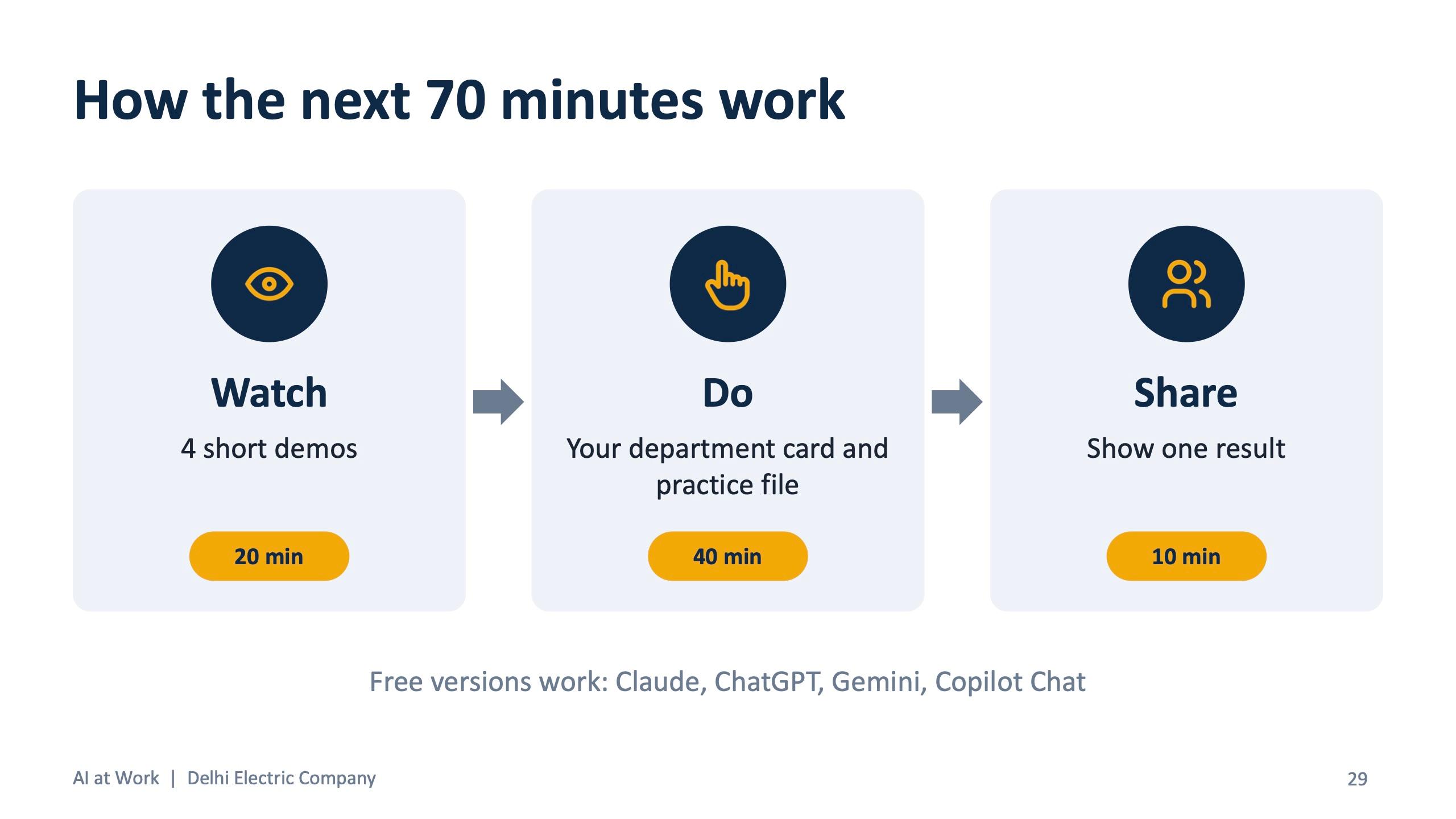
The Delhi Electric lab ran for 70 minutes in three parts: watch four short demos (20 minutes), do your department card with your practice file (40 minutes), then share one result with the room (10 minutes). Each card has two tasks and a bonus, a starting prompt for each, and a box at the bottom for “my best prompt from today”.
Use fictional practice files, never real client or employee data. The Delhi Electric kit had 17 of them: vendor quotes, a PO delivery tracker, a stock register, a sample substation tender, a BOQ, sample invoices, an HR policy draft, sales meeting notes and more, all with made-up names and numbers. QuickLearn built a whole fictional retail company, Nuvora Home, so every role worked on the same world.
Practice files that look real, with realistic mistakes planted in them, teach people to check the AI's answer, which is the skill that keeps them safe later.
Worked examples by department
These are starting prompts from the real exercise cards. Copy them, swap in your own context, and run them on a practice file before you try them on live work.
HR: policy to circular (ChatGPT or Claude)
Upload the policy. Rewrite this policy as a short circular for site staff. Simple English, bullet points, under 200 words. Keep every number and date. Then give a Hindi version.
From the Delhi Electric HR card. The same card has a job-description task for a Site Electrical Engineer.
Finance and accounts: vendor reconciliation (Claude)
Upload the file. Sheet 'Our Ledger' is our books and 'Vendor Statement' is the vendor's. Match entries by reference. List entries missing on either side and any amount differences, then write a short closing note.
From the accounts card. The card is clear that GST rules are confirmed with the CA, not the AI.
Operations and purchase: find late orders (Claude, or Copilot in Excel)
Upload the file. Today is 17 October 2026. List every order delivered late, and every pending order past its promised date. Show PO number, vendor, item and days late. Sort by most late first.
Follow-up on the same card: write a firm but polite email to the vendor with the most overdue order, under 120 words.
Sales: meeting notes to follow-up (Claude or Gemini)
Upload the notes. Turn these notes into: a 5-point summary, action items with owner and date, and a follow-up email to the MD.
The next task on the sales card turns the same notes into a proposal outline.
For PSUs and universities the shape is the same, but the safety section gets more time. The NTPC session gave a full module to responsible AI and data protection, including India's DPDP Act, because staff handle plant and personnel data. The iJaipuria Claude Essentials course ran as eight modules, from an introduction to generative AI through prompt engineering, projects, connectors and functional use cases, and ended with responsible AI use and a multiple-choice assessment.
Step 7: Agree the safety rules before anyone uploads a file
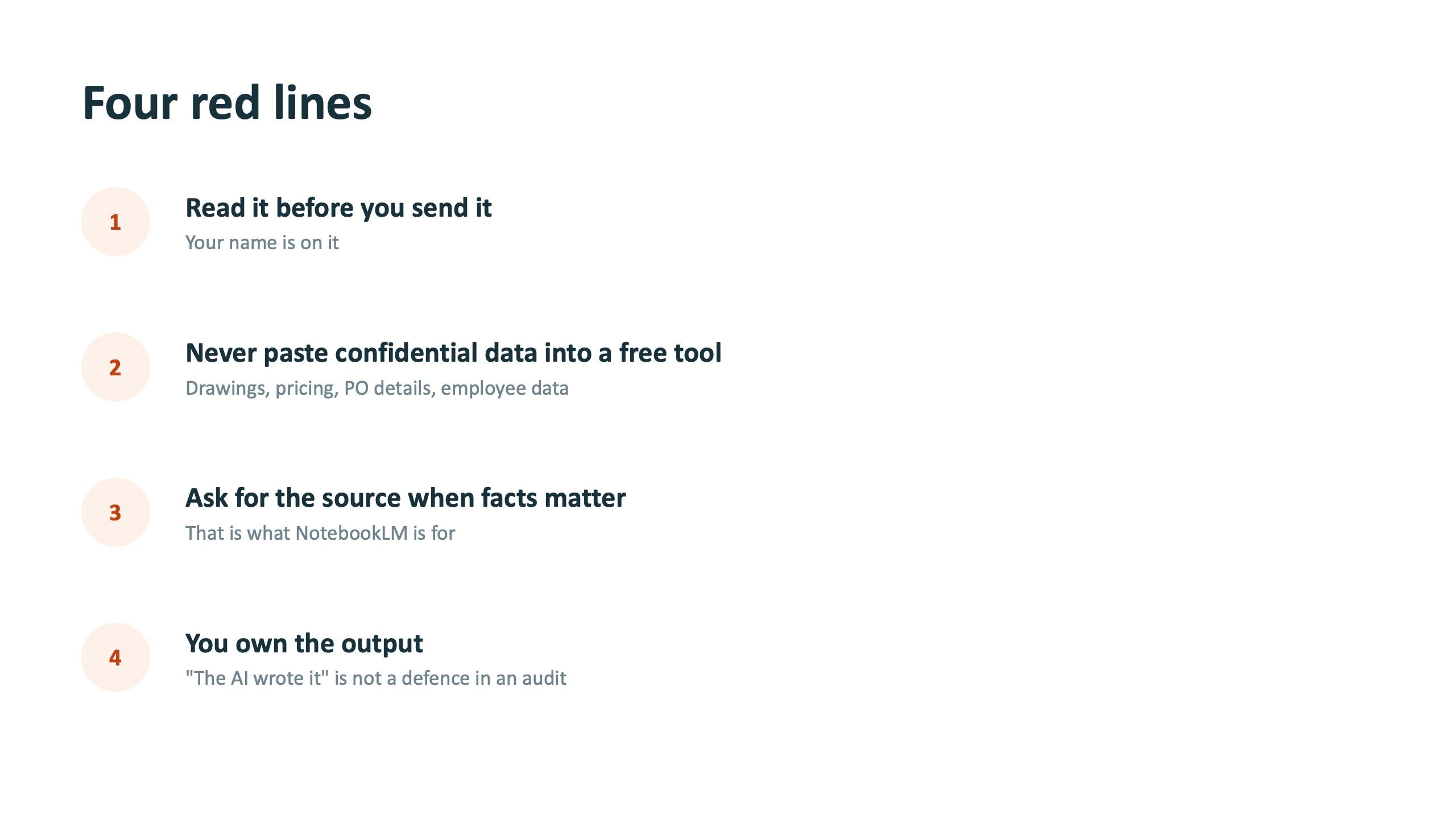
A one-page set of rules, agreed in the room, prevents most of the problems leaders worry about. The version used at Meenakshi Polymers has four red lines.
- Read it before you send it. Your name is on it.
- Never paste confidential data into a free tool: drawings, pricing, PO details, employee data.
- Ask for the source when facts matter.
- You own the output. “The AI wrote it” is not a defence in an audit.
Add your own company rules on top: which accounts are approved, what data may never leave the building, and which outputs always need a second person. QuickLearn's version also covered masking sensitive data before upload and the risk of prompt injection when AI reads documents or emails from outside.
Step 8: End with a written commitment
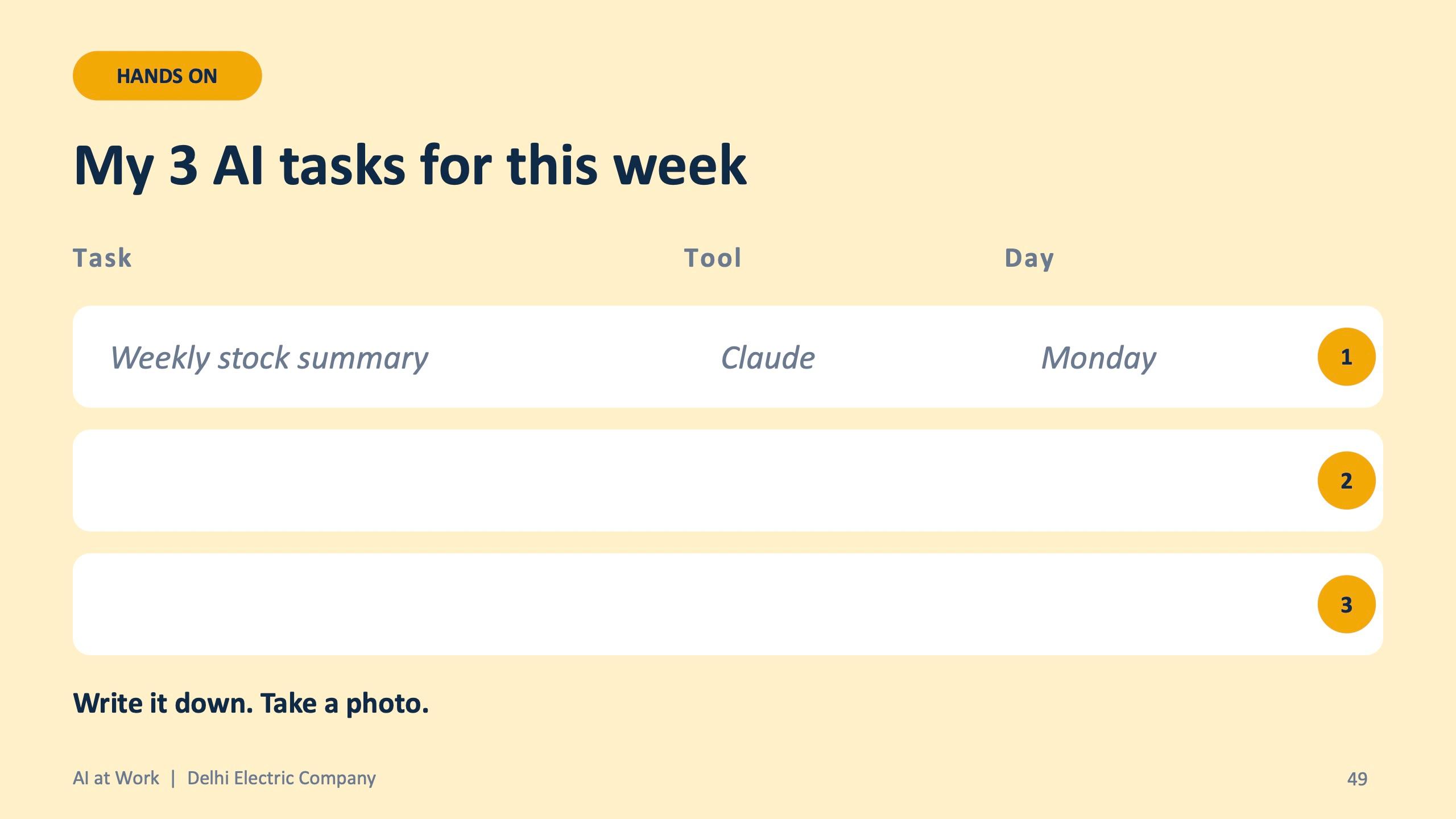
The last 15 minutes decide whether anything happens next week. At Delhi Electric Company every participant filled in a slide titled “My 3 AI tasks for this week”: the task, the tool and the day. The instruction on the slide was: write it down, take a photo.
People also leave with a kit they can use at their desk: the slides, a one-page cheat sheet (CRAFT, which AI for what, ten prompts for anyone), a prompt book with ready prompts for every department, and their exercise cards.
Step 9: Make the habit stick for 30 days
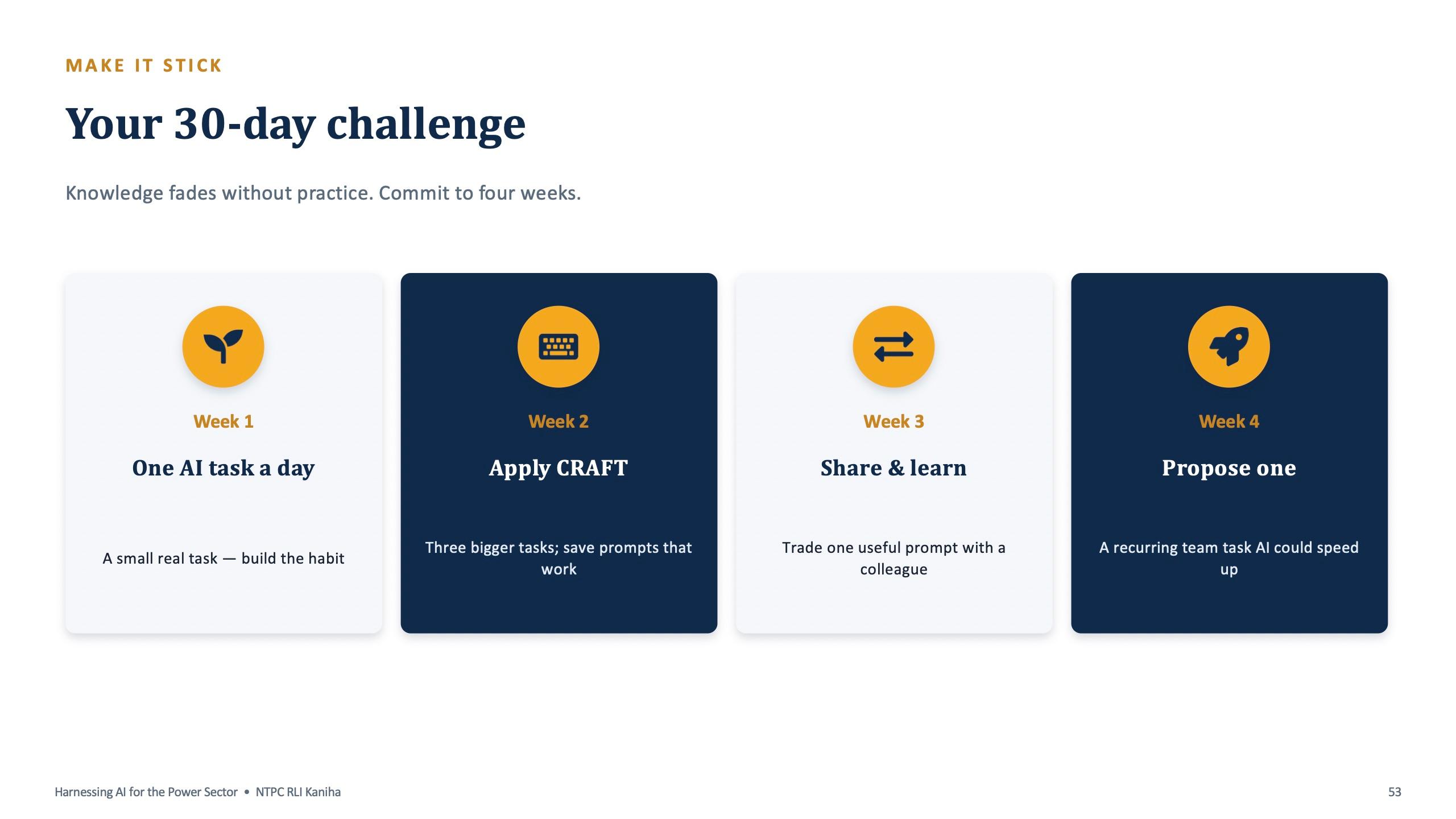
Skills fade quickly if they are not used in the first month. Every program closes with a 30-day plan. The NTPC version runs week by week:
- Week 1: one AI task a day. A small real task, to build the habit.
- Week 2: apply CRAFT to three bigger tasks, and save the prompts that work.
- Week 3: share and learn. Trade one useful prompt with a colleague.
- Week 4: propose one recurring team task that AI could speed up.
For teams that went deeper, the QuickLearn plan asks for one Claude Project for your main work in week 1, one Skill for your most repeated task in week 2, and one scheduled task that drafts a weekly brief in week 3. The daily habit is five minutes: one real task with a CRAFT prompt, check the answer, and save the prompt if it worked.
Inside the company, nominate one champion per team, keep a shared prompt library, and hold a short monthly review of what worked. Week 4 of the NTPC challenge feeds straight into that review.
Step 10: Measure what changed
Measure two things: confidence and time.
Confidence is easy to capture on the day. The Delhi Electric feedback form asks people to rate their confidence using AI before and after the session, which tool they will use most, and one task they will do with AI this week. It takes two minutes and gives you a baseline.
Time needs a month. Ask each person to time two or three of the tasks they committed to, before and after, and log it. Multiply the hours saved by the loaded hourly cost of the role to get a money figure. Keep it honest: report what people measured, not what a vendor promised. As an example of what participants report, Iman Yusuf, a founder who attended one of Surendra's sessions, said afterwards: “I came away knowing I can easily save 5+ hours a week.” That is a personal estimate, and it is exactly the kind of claim your own time log should confirm or correct.
Choosing a format
The method above scales from a keynote to a multi-week course. What changes is how much hands-on time there is.
| Format | Real example | Best for |
|---|---|---|
| Keynote and short sessions | IIA Qatar 8th National Conference on Internal Auditing, Doha, 9 February 2026 | Leaders deciding where AI is safe to use |
| One full day, on-site | Meenakshi Polymers, 19 September 2026; Delhi Electric Company, 17 October 2026 | Mixed departments starting from zero |
| One full day, online | NTPC, RLI Kaniha, 9 July 2026 | PSU and government teams across locations |
| Two-day program | QuickLearn Claude Foundations, 31 October and 1 November 2026 | Teams going deep on one tool, including Projects, Skills and Cowork |
| Multi-module course | iJaipuria Claude Essentials (8 modules); KRSIF AI Launchpad | Universities, students and longer upskilling tracks |
If you are not sure, start with one full day for a mixed group, then run a follow-up on the topic people ask for most. The Delhi Electric feedback form offers four follow-ups: Copilot in Excel and Outlook, advanced prompting, building your own assistant (Projects, GPTs, Gems), and AI for one department only.
Need help running this?
Surendra Pandar is an AI trainer based in Jaipur who runs customised AI training for corporate teams, PSUs, universities and leadership groups across India and abroad, on-site and online. Each session is built around your departments, with practice files, exercise cards and a prompt book made for your work. Book a free scoping call through the contact page.
Frequently asked questions
How long does AI training for a team take?
A useful first session is one full day: basics and prompting in the morning, hands-on department labs in the afternoon, then safety rules and a 30-day plan. Leadership groups can start with a keynote; teams going deep on one tool benefit from a two-day program; universities often prefer a multi-module course.
Do we need paid AI tools for the training?
No. Free versions of Claude, ChatGPT, Gemini or Copilot Chat are enough for the hands-on exercises. Paid plans unlock some features, such as scheduled tasks, and companies already on Google Workspace or Microsoft 365 should train on the AI already inside those apps first.
Can staff practise on our real documents?
Not during training. Use fictional practice files that look like your work, with made-up names and numbers. Real data comes later, and only in tools and accounts your company has approved.
How do we keep people using AI after the session?
Ask each person to write down three AI tasks for the coming week, give them a prompt book for their department, run a 30-day challenge, and nominate one champion per team to collect prompts that work.
How do we measure the time and money AI saves?
Capture confidence before and after on the day with a short feedback form. Then ask people to time two or three repeated tasks before and after for a month, multiply the hours saved by the loaded hourly cost of the role, and review the numbers monthly.
Is the training available in Hindi?
The exercises can include Hindi outputs where useful, for example rewriting an HR policy as a circular with a Hindi version for site staff. Ask about language needs when you book the scoping call.