Case study · 12 min read
Claude AI Foundations: A 2-Day Hands-On Program for QuickLearn Systems
How a two-day, build-along Claude program on 31 October and 1 November 2026 took project managers, analysts, consultants, HR, marketing and operations people from first prompt to finished files, connected workflows, Cowork hand-offs and Claude Certified Associate exam preparation. With the real slides.
By Surendra Pandar, AI Trainer ·
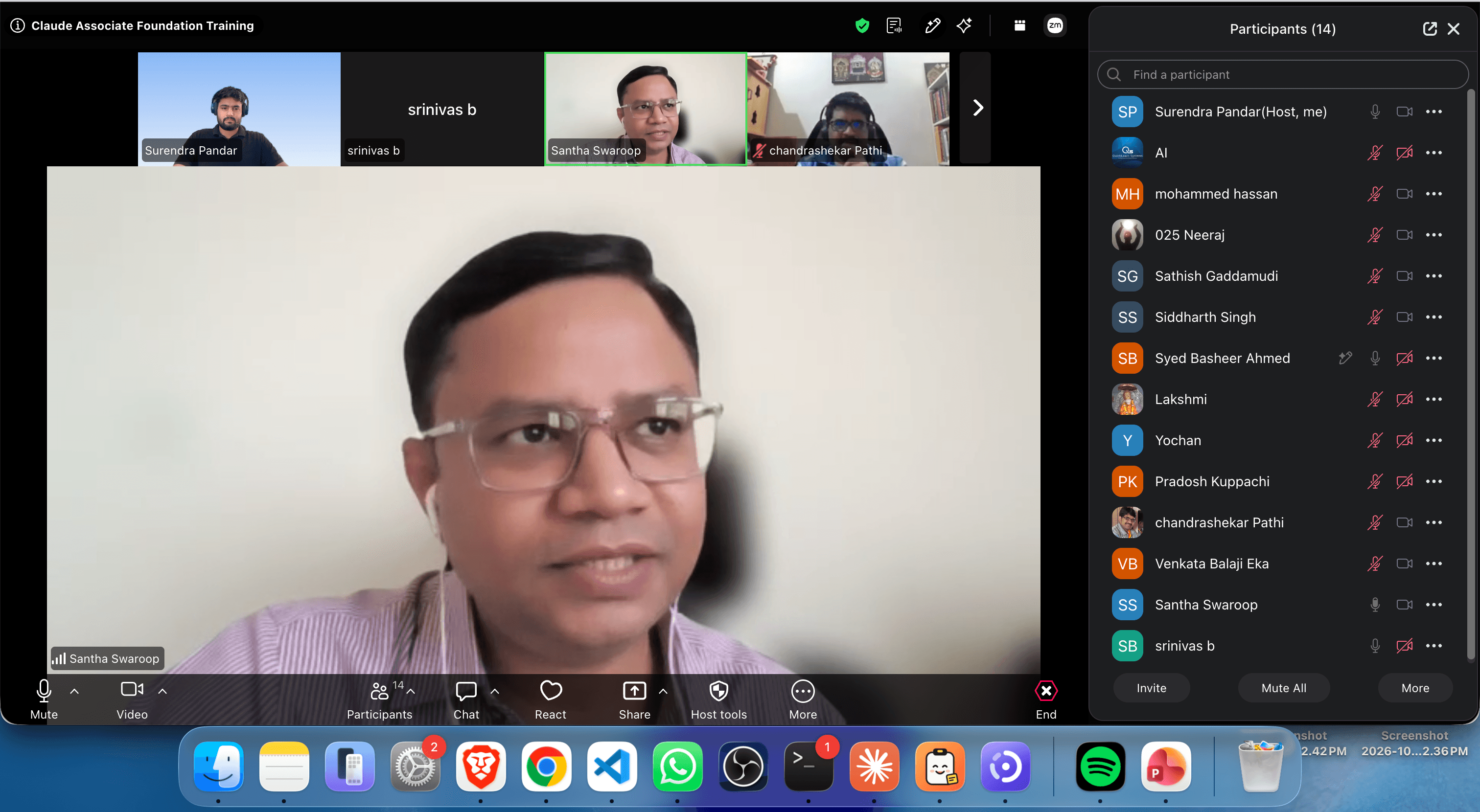
- Organisation
- QuickLearn Systems
- Program
- Claude AI Foundations, 2 days
- Dates
- Saturday 31 October and Sunday 1 November 2026
- Audience
- Project managers, business analysts, consultants, HR, marketing and operations
- Format
- Live online cohort, build-along labs, 10 modules plus a bonus
- Outcome
- Claude Certified Associate, Foundations (CCAO-F) preparation
In short
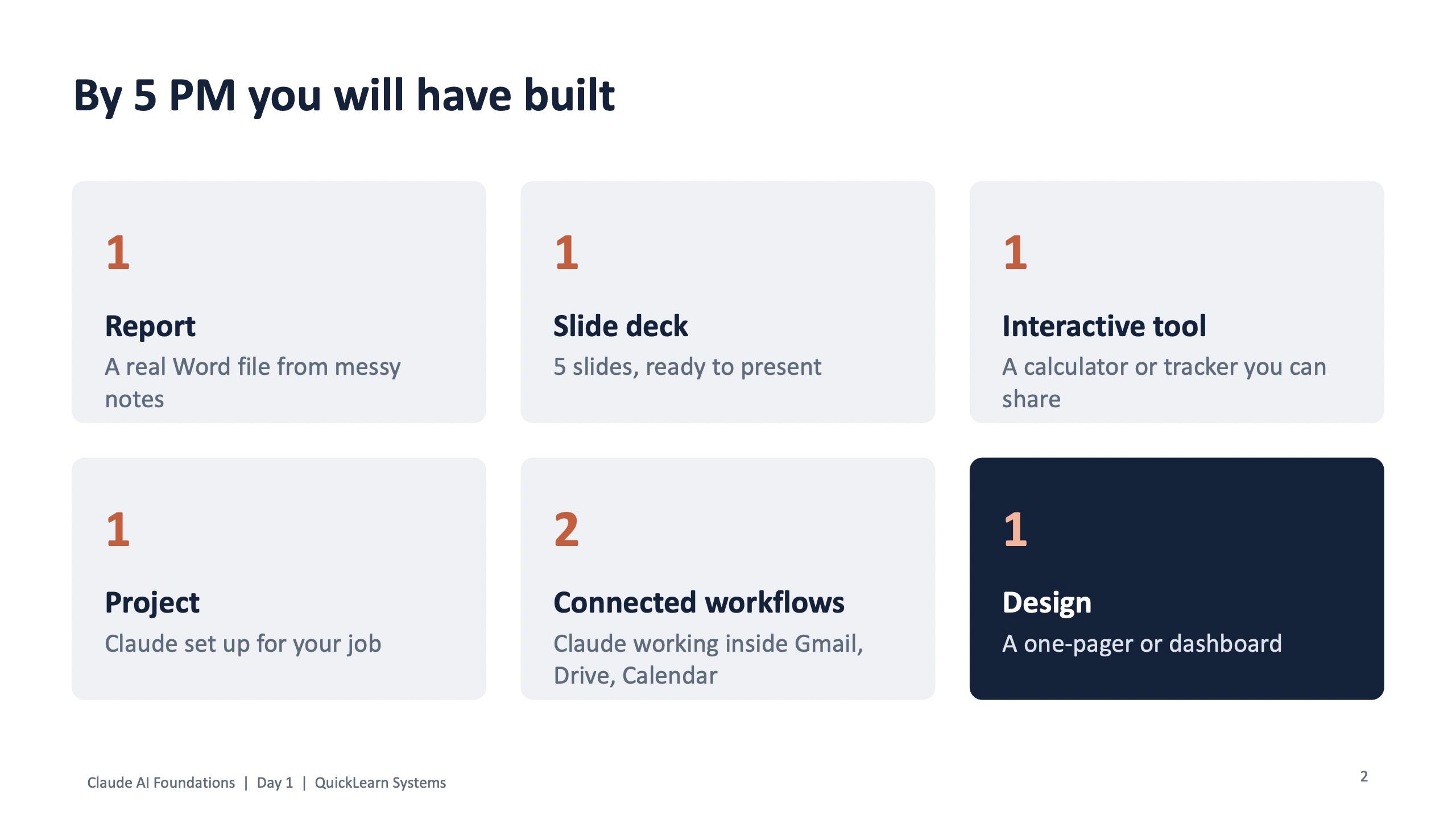
- Day 1 promised finished work, not knowledge: by 5 PM every participant had to have built a Word report, a 5-slide deck, an interactive tool, a Claude Project, two connected workflows and one design.
- Everything ran on a fictional practice company, Nuvora Home, a furniture and decor retailer with 86 stores. Nobody pasted real work data at any point.
- Each role had its own exercise card with starting prompts: PM, business analyst, consultant, HR, marketing and operations. Every card also had an output evaluation lab with a deliberately flawed document.
- Day 2 moved the room into Nuvora's IT team: incident dashboards, Cowork turning messy ticket exports into an SLA report, guard rails for agents, a check-and-fix lab, and a full walk through the CCAO-F exam domains with a 20-question practice exam.
The challenge
Most people open Claude, ask a few questions and stop. They never upload a file, never get a finished document back, never connect it to their inbox and never check its work properly. QuickLearn Systems wanted the opposite for its cohort: people who leave able to produce real files with Claude, hand off multi-step jobs, and check the output well enough to pass the Claude Certified Associate (Foundations) exam.
The room was mixed. Project managers, business analysts, consultants, HR, marketing and operations people sat in the same online session. So the program had to be built around roles, not around one generic demo.
How the program was built
The program ran over a weekend: Day 1 on Saturday 31 October 2026 and Day 2 on Sunday 1 November 2026, from 9 AM with two tea breaks and a lunch break each day. The course pack was prepared in advance in numbered folders: a start-here setup guide, slides, a cheat sheet, a prompt book, exercise cards, practice files, assessments, take-home material and a feedback form.
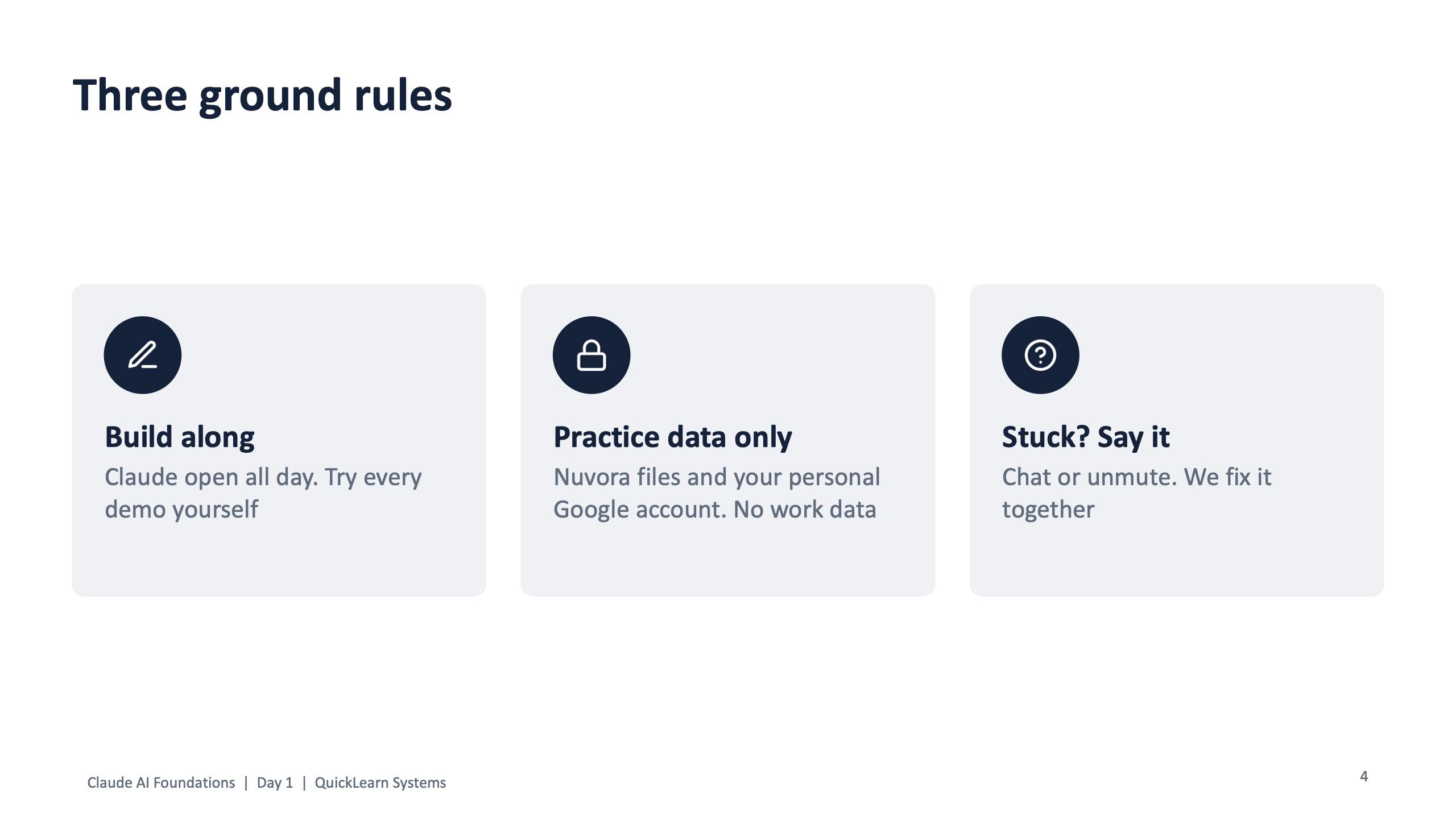
Three ground rules opened Day 1. Build along: keep Claude open all day and try every demo yourself. Practice data only: Nuvora files and a personal account, no work data. Stuck? Say it in chat or unmute and the room fixes it together.
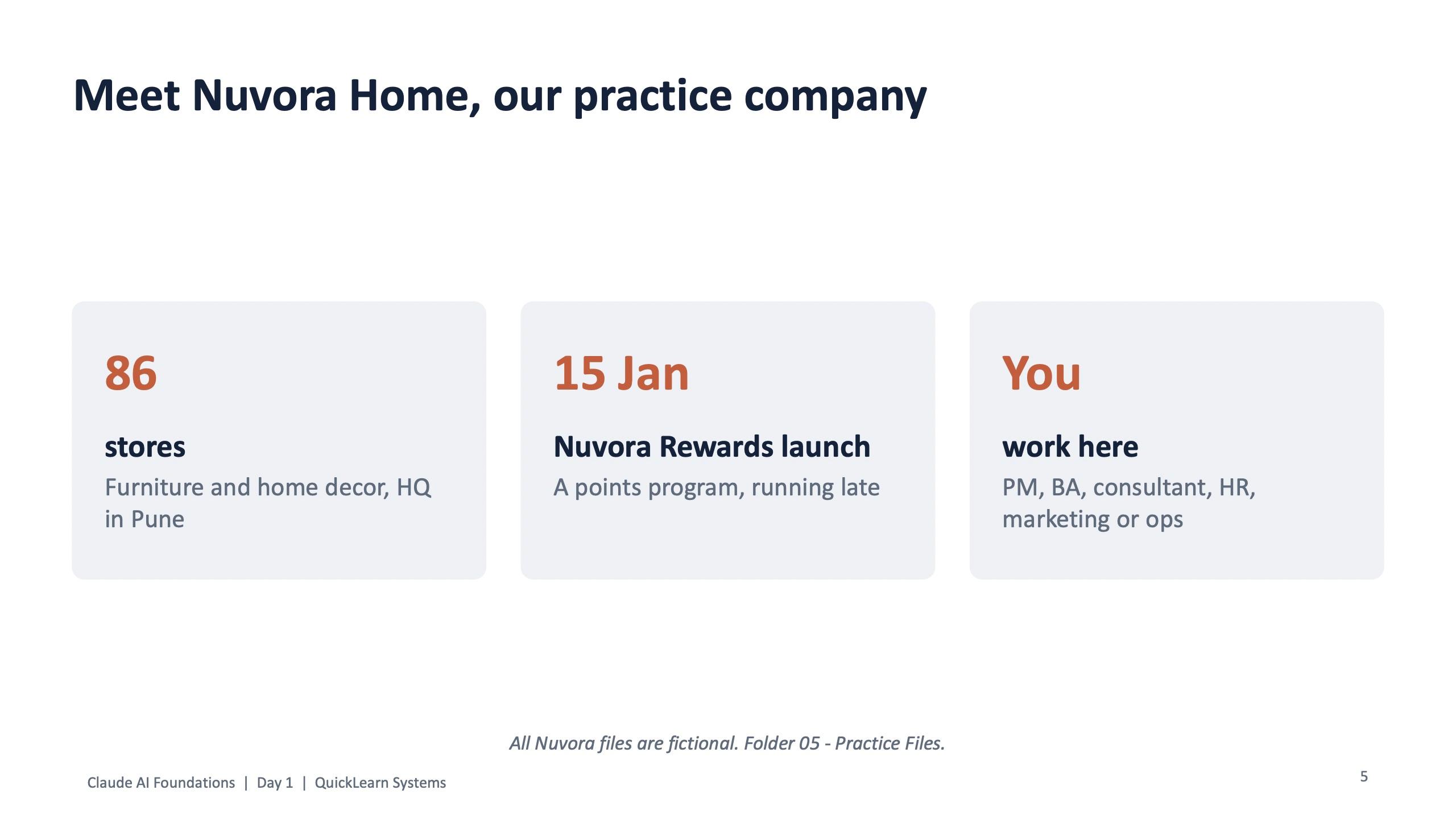
The practice company matters more than it looks. It has a story (a loyalty programme called Nuvora Rewards, launching 15 January and running late), so every department has a reason to use Claude: the PM has a steering meeting to summarise, the analyst has stakeholder interviews and a customer survey, HR has a hiring brief and a leave policy draft, marketing has a campaign brief, and operations has a delivery complaints log and a slow returns process.
One exercise card per role
Every participant worked from a role card. Each card names the practice files for that role, gives two starting prompts for the prompt lab, points to a flawed document for the output evaluation lab, and sets up the Day 2 Project, Skill and scheduled task. These are the starting prompts as written on the cards.
| Role | Practice files | Day 1 task | Skill to build on Day 2 |
|---|---|---|---|
| Project manager | Steering meeting notes, project tracker | Weekly status report for the CEO, with overdue tasks and unowned risks flagged | status-report |
| Business analyst | Stakeholder interview notes, customer survey | Requirements table plus every conflict and open question, undecided | user-story-writer |
| Consultant | Client discovery notes, store performance FY26, annual report | Revenue by city and quarter, then 3 expansion options for 10 new stores | exec-summary |
| HR | Hiring brief, leave policy draft, brand guide | Job post under 300 words checked for biased words; leave policy conflict check | interview-kit |
| Marketing | Campaign brief, past campaign results, brand guide | 60-day channel plan for Rs 85 lakh; 5 WhatsApp launch messages | brand-voice-check |
| Operations | Delivery complaints log, returns process notes | Complaints by type, courier and city; returns process mapped to find the delay | complaint-analyser |
Project manager, Task 1
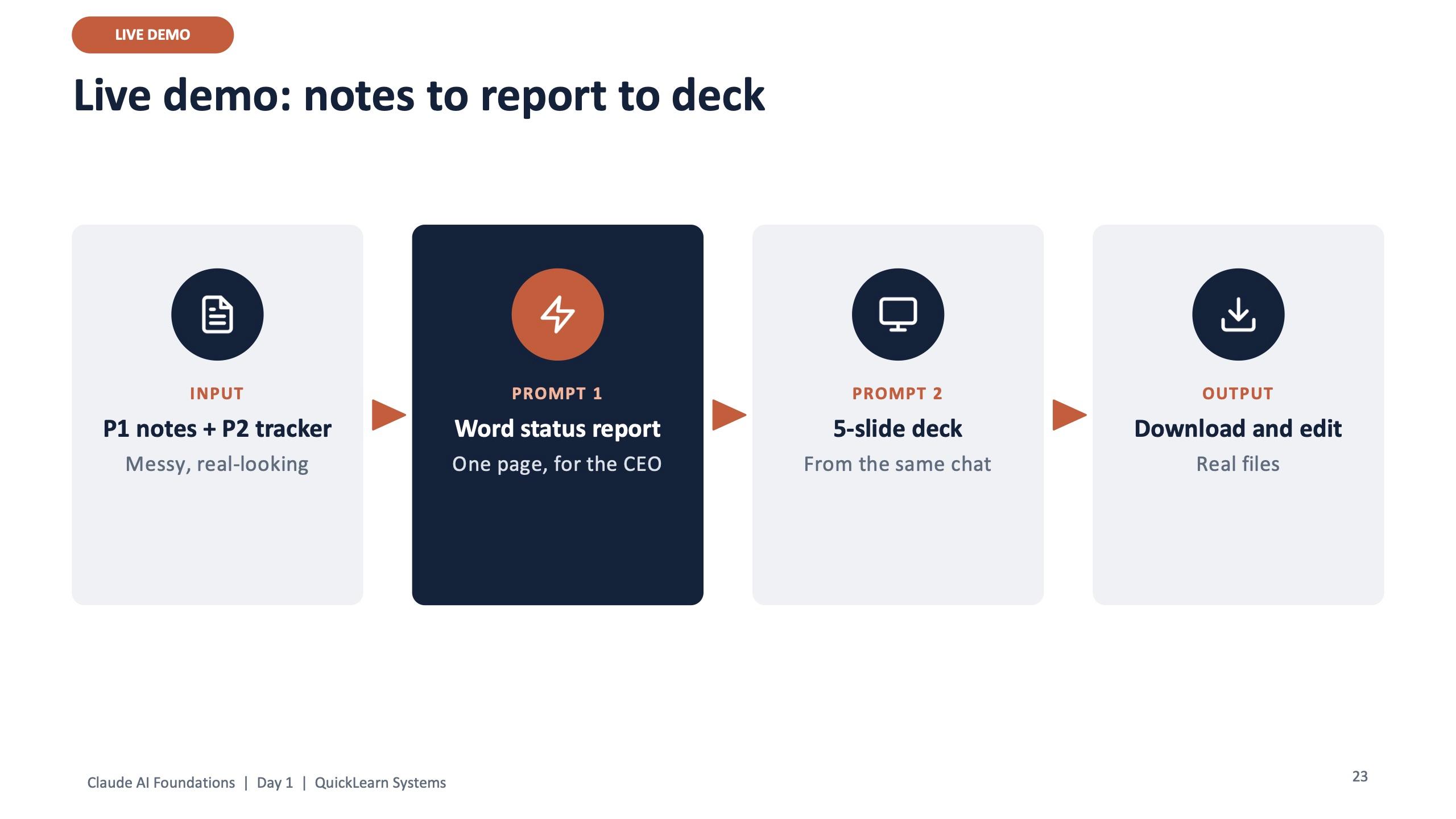
Attach P1 and P2. We are launching Nuvora Rewards. Act as an experienced project manager. Write this week's status report. Flag overdue tasks and risks with no owner. One page: RAG status, key dates, risks table, decisions needed. Plain and direct, for the CEO.
HR, Task 2
Attach H2. Check this leave policy for conflicts, unclear lines and possible legal issues. Table: section, issue, suggested fix. Do not write the FAQ yet.
Operations, Task 2
Attach O2. Map the returns process as a table: step, who, time taken, waiting time. Where is the biggest delay? Suggest 3 quick fixes to reach a 7-day refund.
Every card ends the same way: reply with one follow-up of your own, shorter, as a table, for the CEO. The second prompt is where most of the value is, and the cards build that habit from the first lab.
Day 1, modules 1 and 2: your workspace, then real files
Module 1 covered every button people would use: fast model or strong model, the + toolbox for files, connectors and web search, web search versus Research, customising Claude once with who you are, and the settings worth turning on (code execution and file creation, and memory). It ended with a hands-on setup slot.
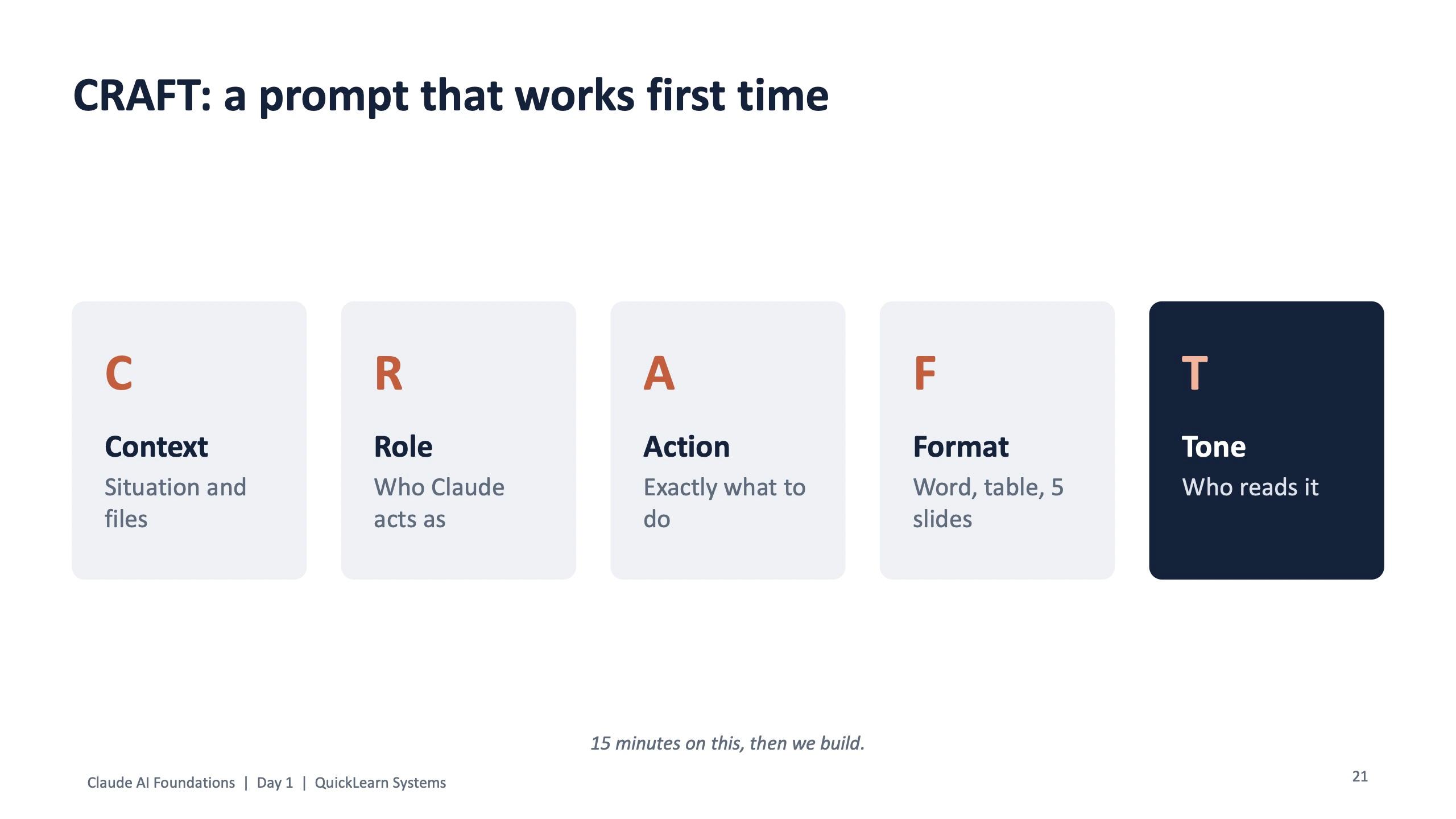
Module 2 was titled "Stop copy-pasting. Get finished work." It started with CRAFT, the prompt formula used across all of Surendra's programs: Context, Role, Action, Format, Tone. Fifteen minutes on the formula, then straight into building.
Excel that does the work (operations complaints log)
Make an Excel file from this complaints log. Sheet 1: the data. Sheet 2: count by type, courier and city with formulas. Sheet 3: a chart of late deliveries by courier. Then tell me in 3 lines which courier to talk to first.
Build a tool, not just text (interactive artifact)
Build a simple Nuvora Rewards points calculator. 1 point per Rs 100. Tiers: Silver, Gold at Rs 25,000, Platinum at Rs 75,000. I enter yearly spend, it shows points, tier and Rs value. Clean design, works on mobile.
Other ideas from the slide: leave balance checker, interview scoring sheet, campaign budget splitter, risk tracker.
Then came publishing: build it in any chat, publish to get a link, share it so the team can use it with no setup, and improve it by chatting ("make it shorter", "add a column for owner", "in Hindi"). The hands-on slot, "Make 3 things", gave 40 minutes to turn role files into a Word report, a 5-slide deck and one interactive tool, and to paste one published link in the chat.
The 2-minute check, taught on Day 1
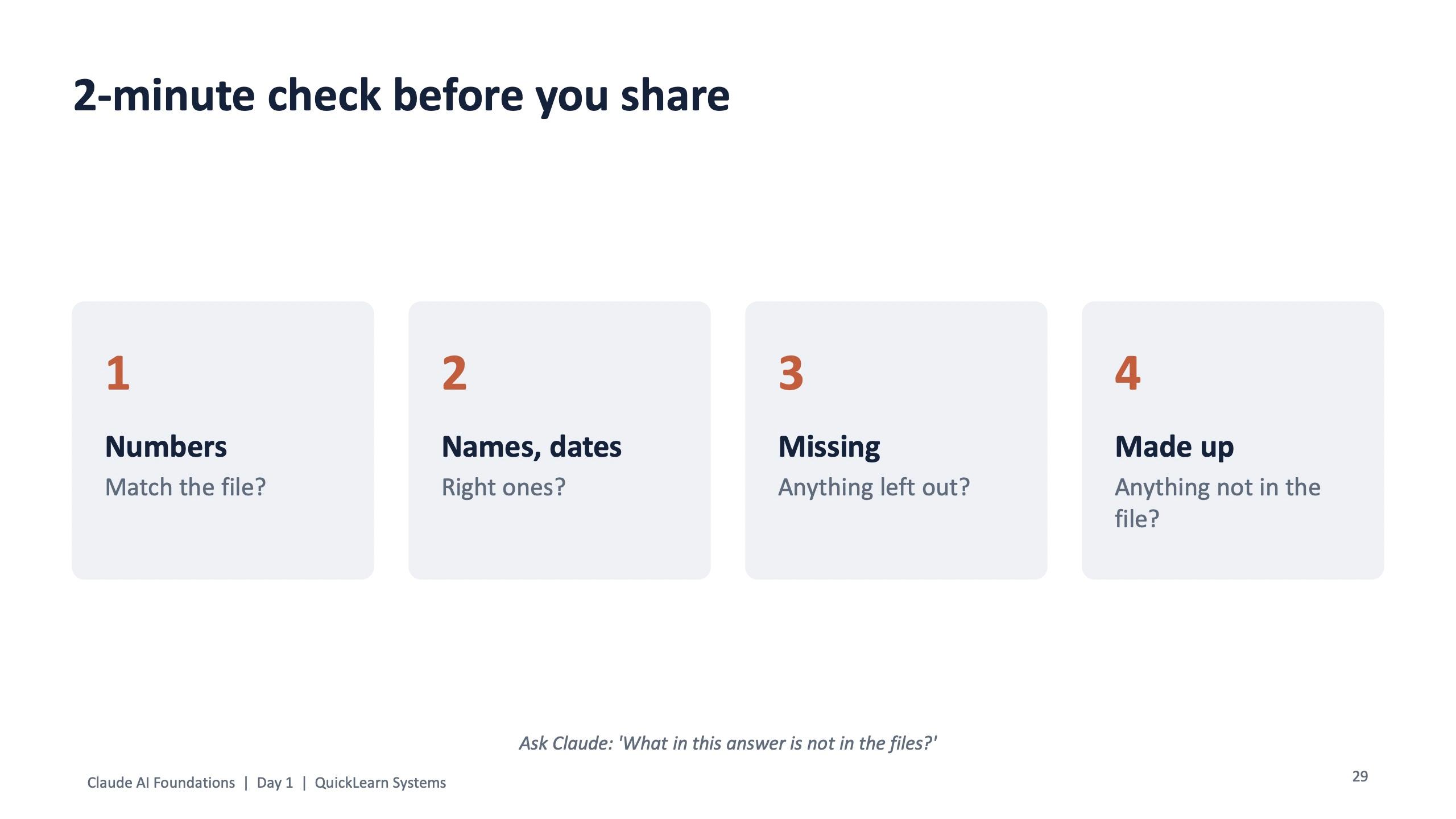
Checking was not left to Day 2. Before anything is shared, the Day 1 deck asks for a 2-minute check: do the numbers match the file, are the names and dates the right ones, is anything missing, and is anything made up that is not in the file. The slide ends with one line people can reuse every day: ask Claude "What in this answer is not in the files?"
Day 1, modules 3 and 4: Projects and connectors
Module 3 set Claude up once for each person's job. A Project has three parts: instructions (who you are, how to answer), knowledge files (guides, templates, plans) and every chat inside it starting with both. The advice on the slide is one Project per area of work, such as the Rewards launch, hiring or campaigns.
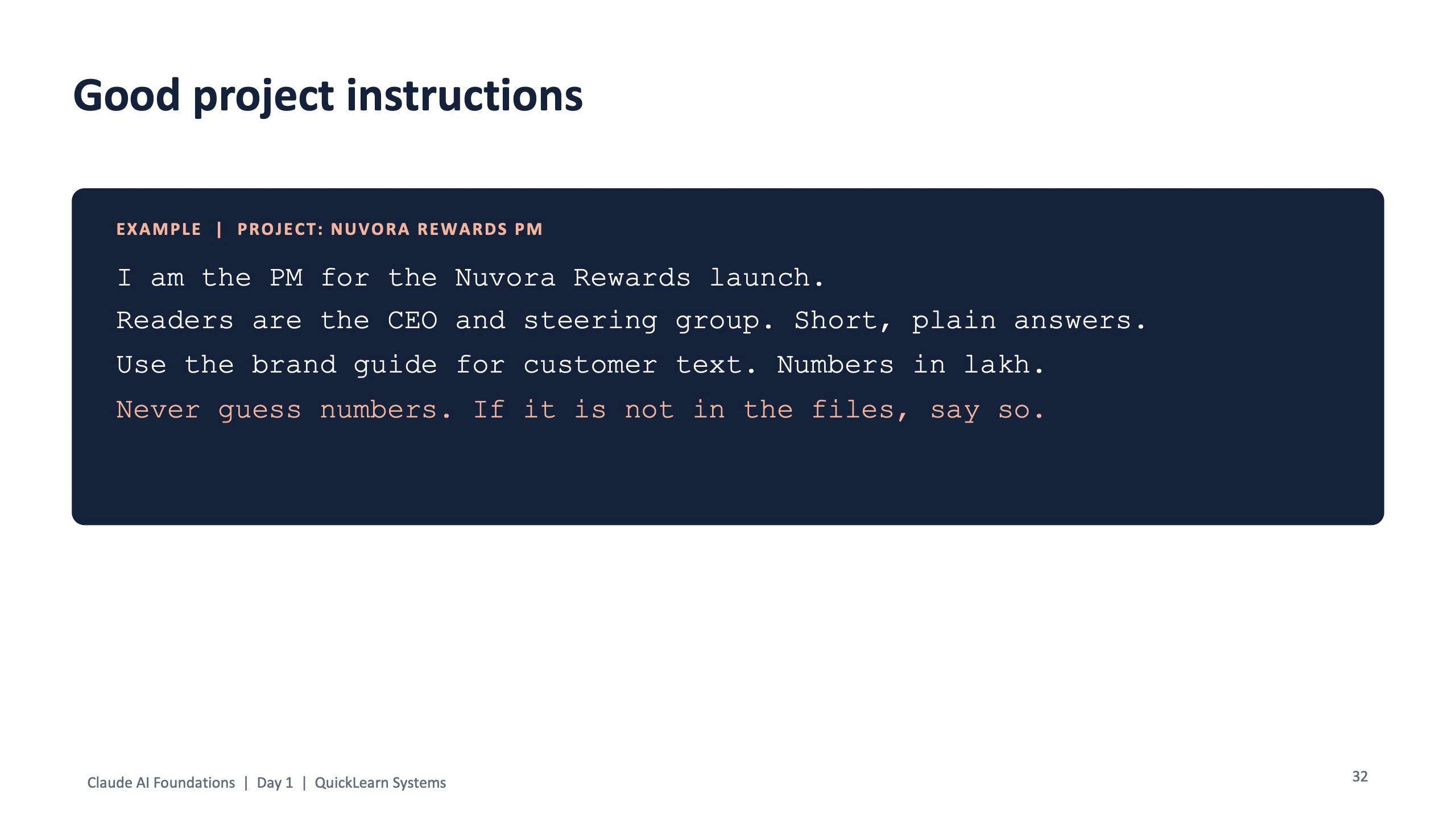
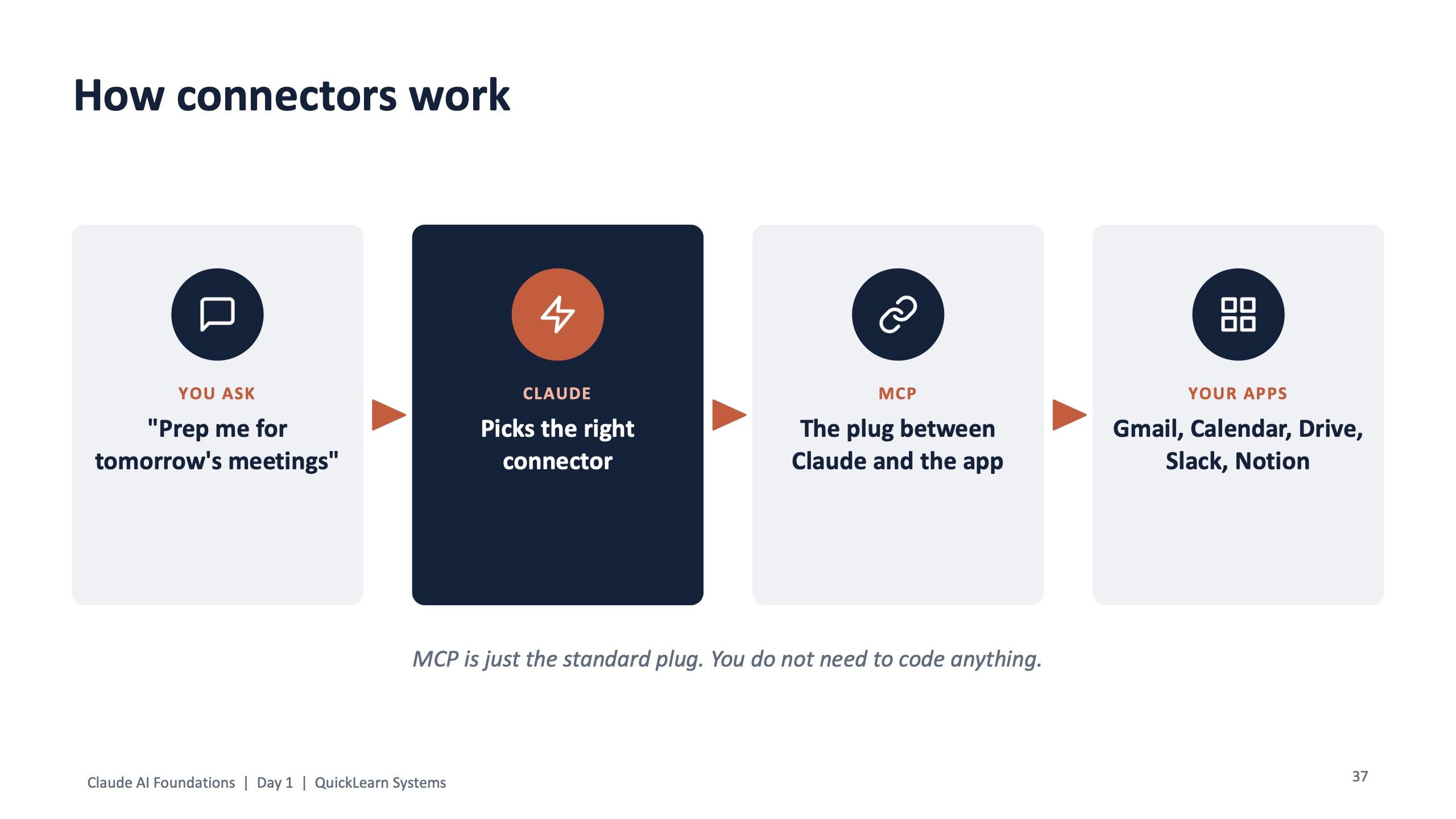
Example Project instructions (Nuvora Rewards PM)
I am the PM for the Nuvora Rewards launch. Readers are the CEO and steering group. Short, plain answers. Use the brand guide for customer text. Numbers in lakh. Never guess numbers. If it is not in the files, say so.
Module 4 started from a simple contrast: without connectors you copy and paste; with connectors Claude goes and gets it. Two live demos followed. One turned an inbox of practice emails into a task list. The other prepared tomorrow's meetings in about a minute from Calendar and Drive. The hands-on slot repeated both workflows and added one connector useful for each person's job, ending with a check: did Claude miss any email?
The module closed on control. Searching, reading, summarising and drafting are fine to allow. Sending an email, creating or deleting events, or changing files and tasks should always ask first. Permissions are set per connector and actions approved one by one.
Day 1, module 5: Claude Design
The last module of Day 1 was about making things people want to look at: one-pagers, landing pages, process diagrams, dashboards, posters and slide visuals. Two live demos used the practice files. The first designed a launch poster for Nuvora Rewards from the campaign brief and the brand guide, then an Instagram version. The second drew the returns process as a flow diagram.
Live demo: a process diagram
Draw the returns process as a flow diagram. Mark where work waits and how long. Then draw the improved process next to it.
Day 2: the room becomes Nuvora's IT team
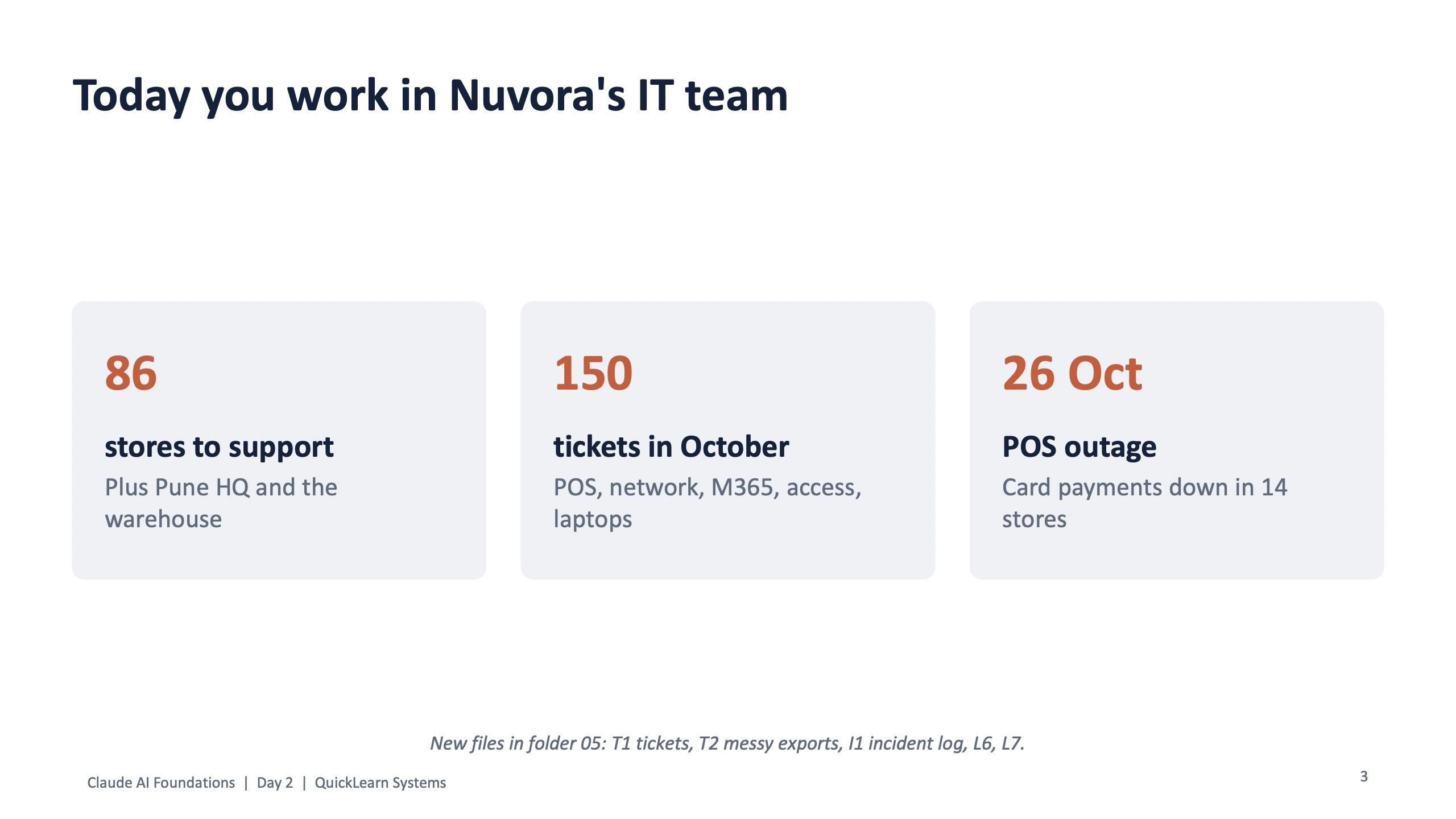
Day 2 changed the scenario on purpose. Everyone now worked in Nuvora's IT team, supporting 86 stores plus the Pune head office and the warehouse, with a month of helpdesk tickets and a point-of-sale outage in which card payments went down across several stores. New practice files appeared in the folder: a ticket file, a zip of messy exports, an incident log and two evaluation labs.
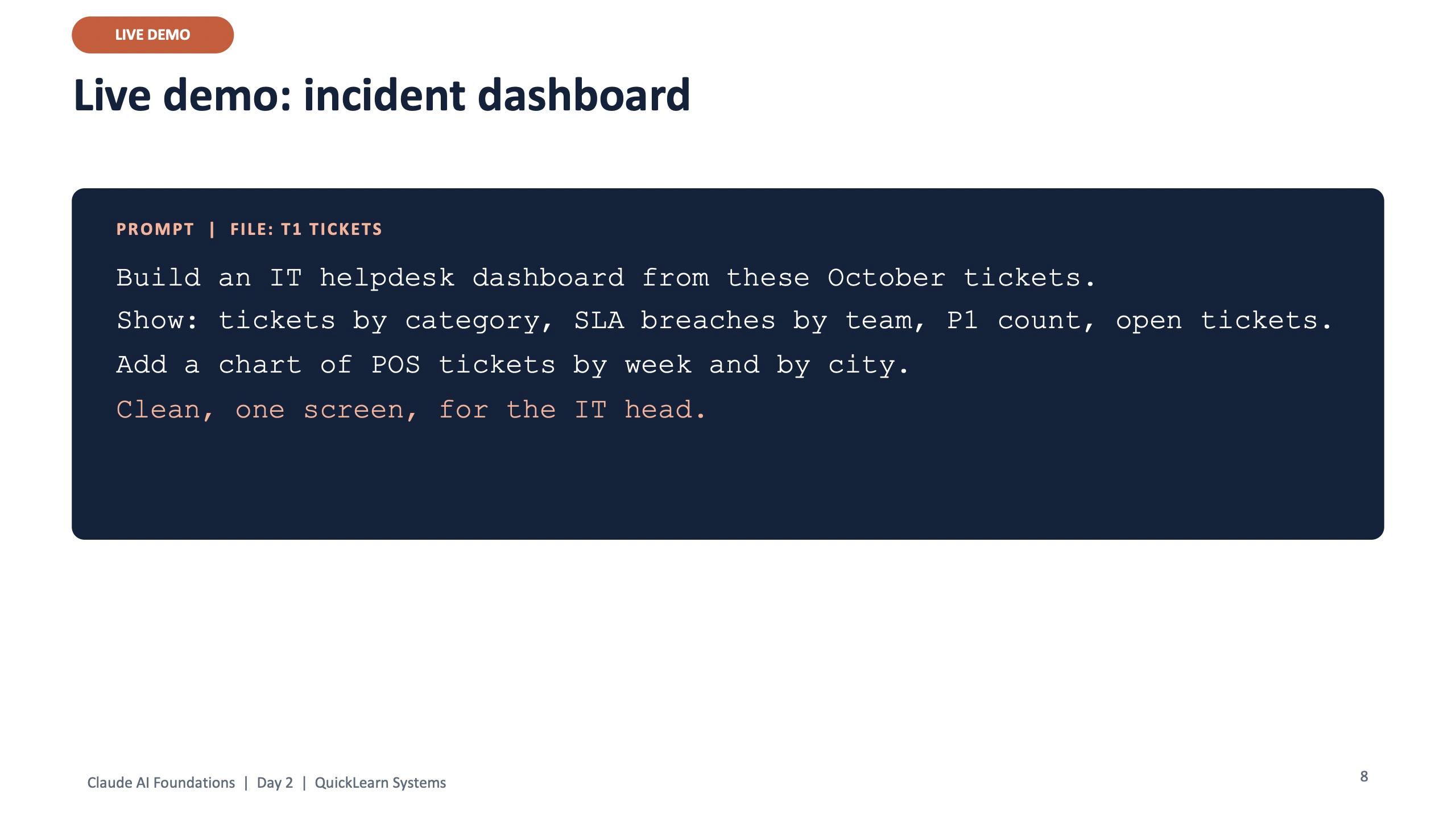
Module 6 used Claude Design for IT: an incident dashboard from the ticket file and a network diagram. The design tips on the slide are worth repeating: say who will look at it, give your colours, fix one thing at a time, check every number, and treat the first version as a draft.
Day 2, module 7: Cowork, Chrome and Excel
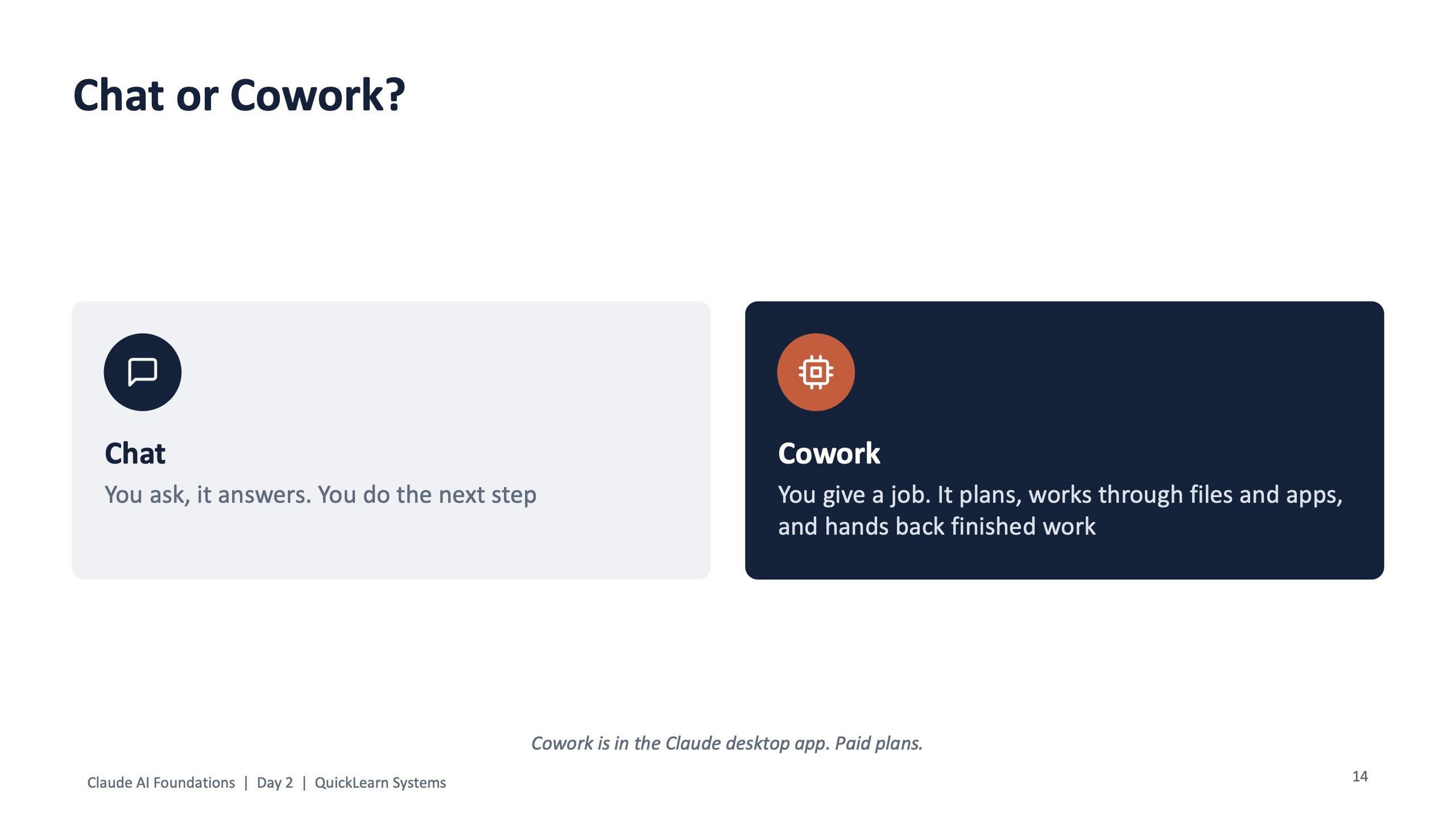
Module 7 carried the title "Give Claude a job, not just a question". In chat, you ask and Claude answers, and you do the next step. In Cowork, you give a job; Claude makes a plan you can read and change, works through files step by step, asks before risky actions, and saves finished files where you asked.
| IT job | Use |
|---|---|
| Quick answer or email draft | Chat |
| Same team context every day | Project |
| Messy files into a finished report | Cowork |
| Research across websites | Claude in Chrome |
| Work inside a spreadsheet | Claude in Excel |
| Same report every Monday | Scheduled task |
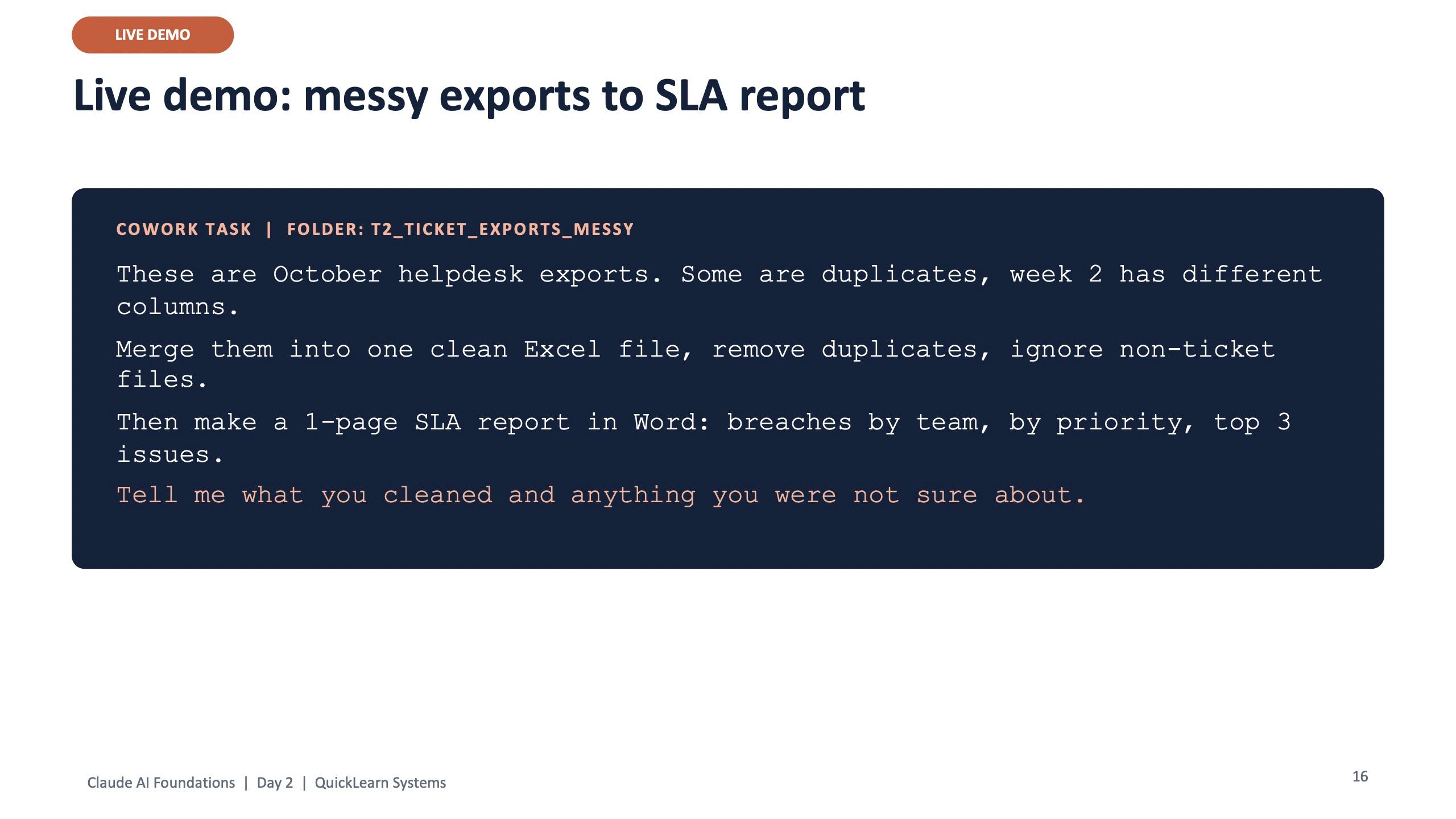
Cowork task: messy exports to SLA report
These are October helpdesk exports. Some are duplicates, week 2 has different columns. Merge them into one clean Excel file, remove duplicates, ignore non-ticket files. Then make a 1-page SLA report in Word: breaches by team, by priority, top 3 issues. Tell me what you cleaned and anything you were not sure about.
Claude in Excel (in the sidebar, on the ticket file)
Add a column: SLA breached yes or no. Make a pivot of breach % by team and priority. Add a chart and explain the top 2 problems in 3 lines.
A good Cowork task has four things: a clear finish line ("one Excel and one Word report"), your rules, the right folder with only what it needs, and a check step ("tell me what you were not sure about"). The module also showed Claude in Chrome for research while you watch, and closed with a simple map of which tool fits which IT job.
Guard rails for agents
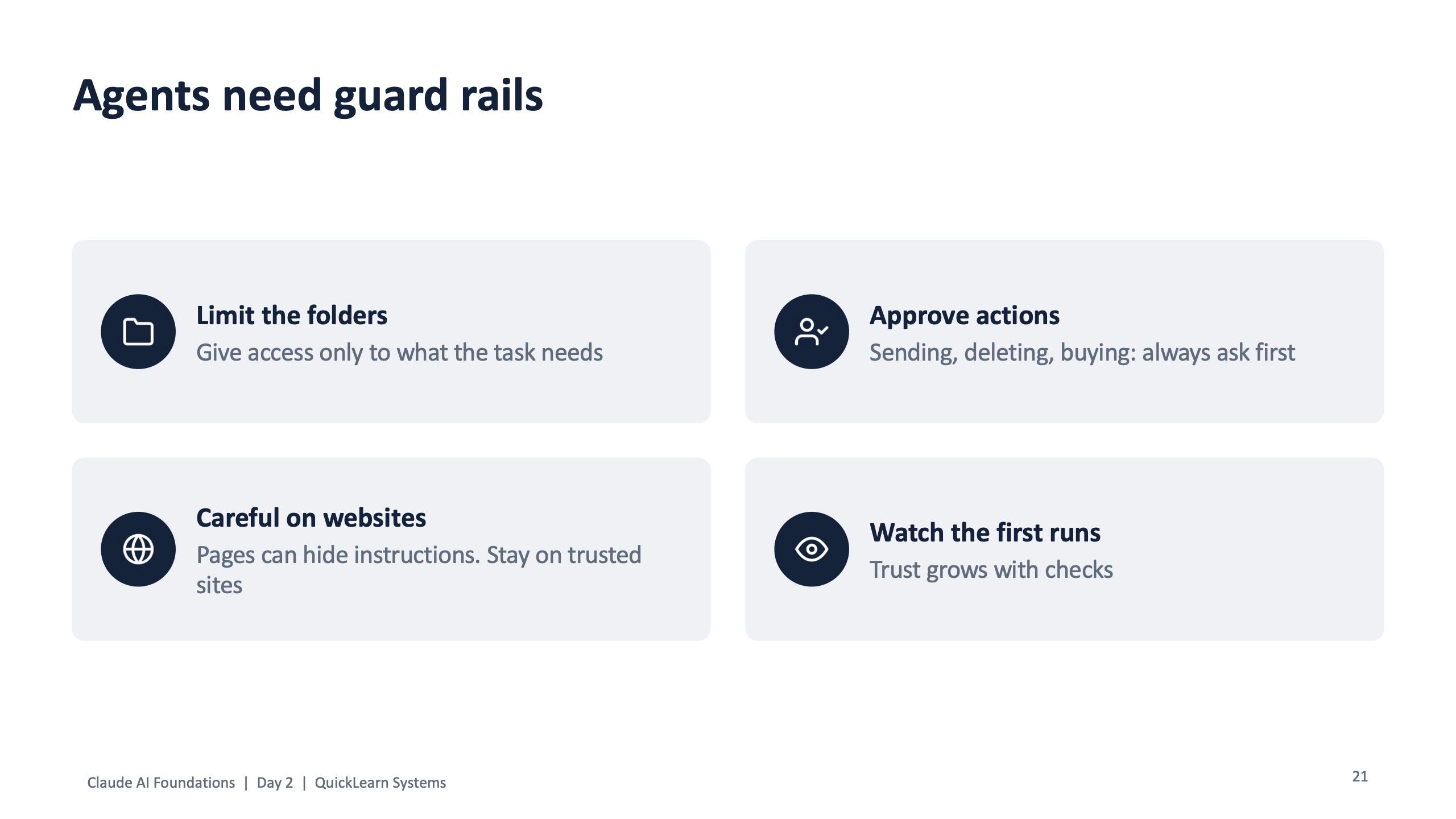
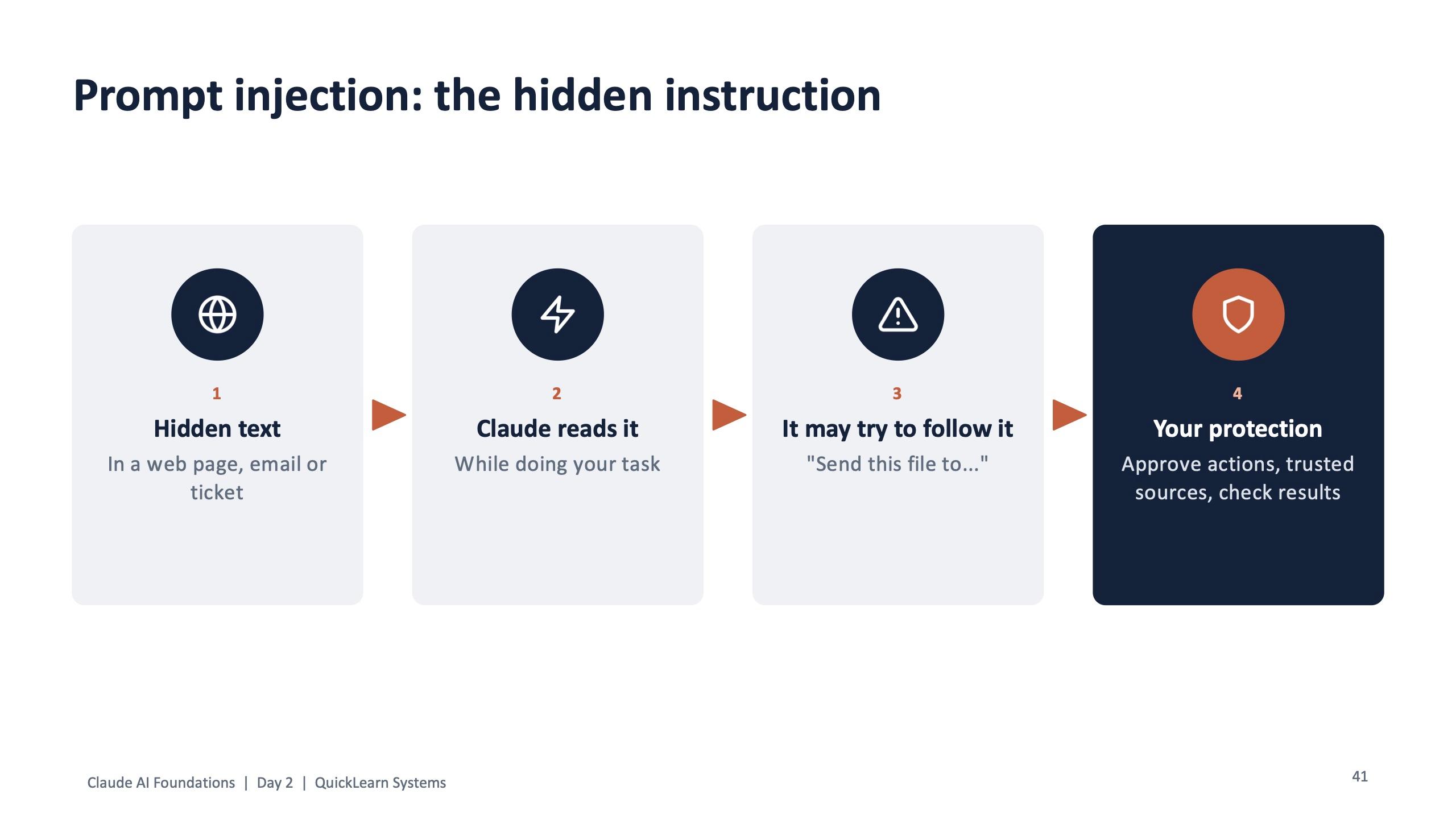
Handing work to an agent comes with rules, and the program gave them a slide of their own: limit the folders to what the task needs; be careful on websites, because pages can hide instructions; approve actions such as sending, deleting or buying; and watch the first runs, because trust grows with checks.
The hands-on slot, "Hand off 3 jobs", asked people to run the Cowork exports task, compare three helpdesk tools in Chrome, work out breach percentages in Excel if they had the add-in, and then check the totals before sharing one result.
Day 2, module 8: check and fix
Module 8 was introduced as "the biggest exam domain, done the IT way". The live exercise put a confident, well-written incident summary next to the raw incident log and asked the room one question: is this ready to send? Together they found the errors and sorted each one as Wrong, Missing or Made up.
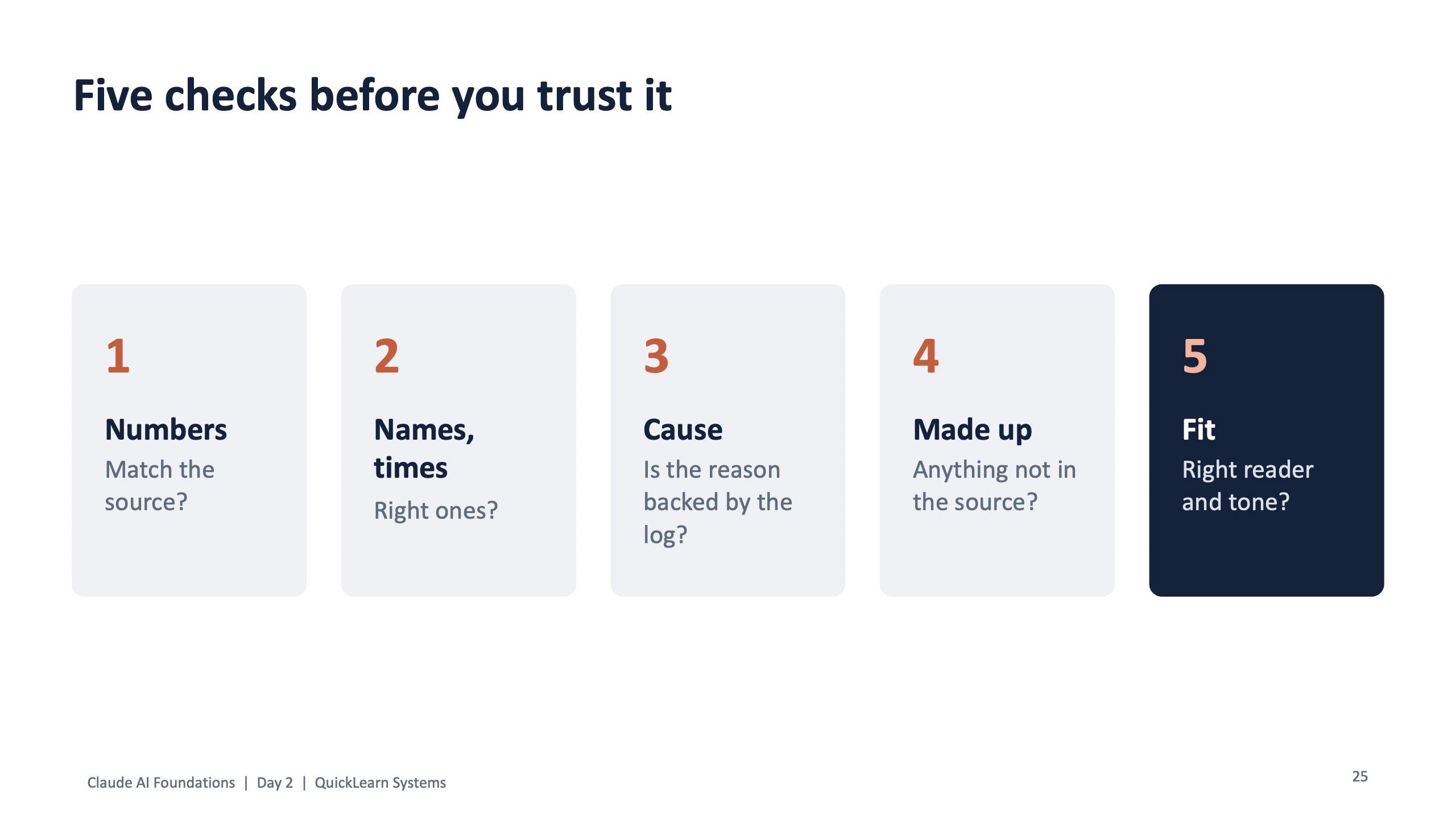
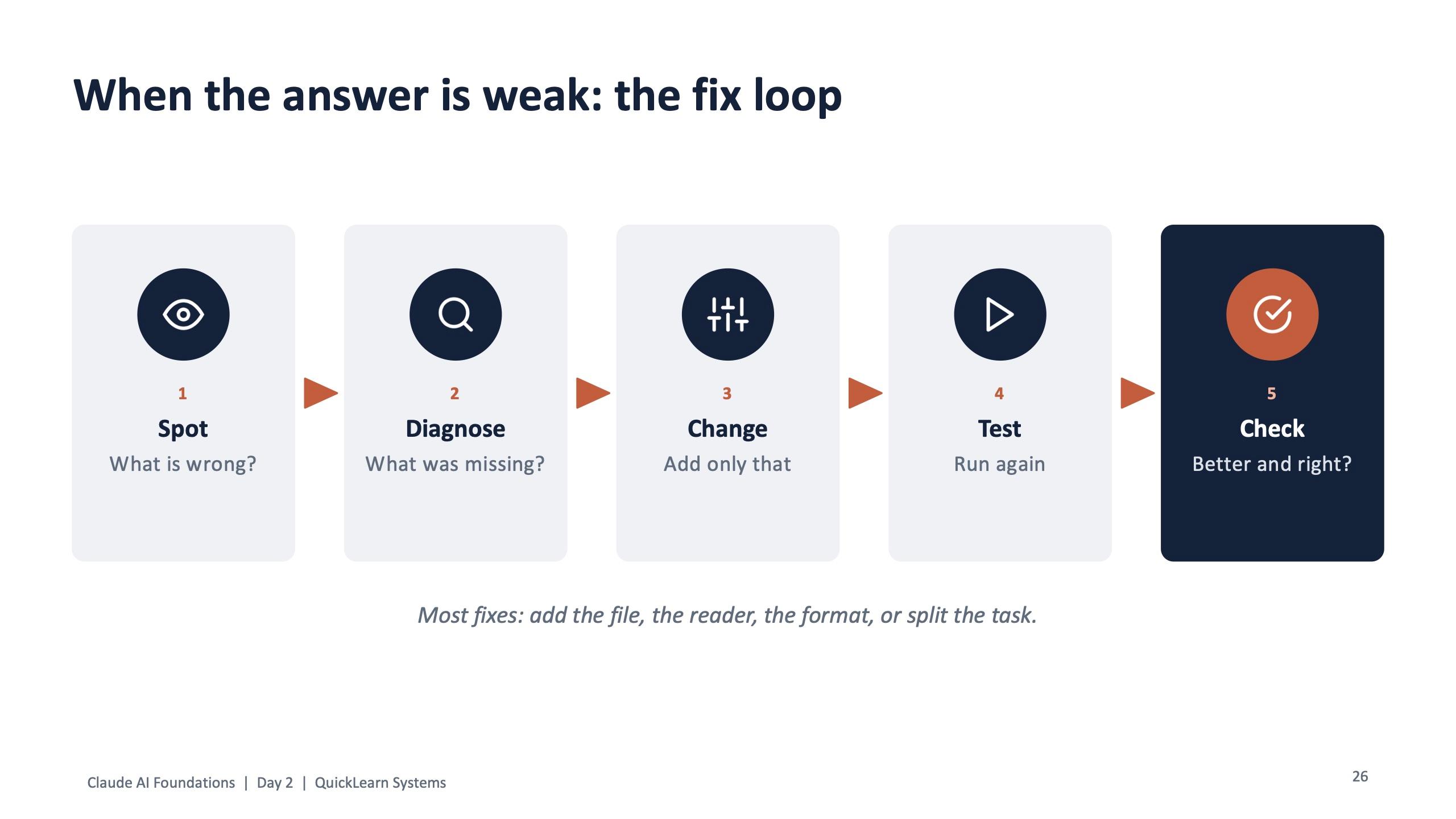
Two tools came out of it. Five checks before you trust any output: numbers, names and times, cause (is the reason backed by the log?), anything made up, and fit for the reader. And a fix loop for weak answers: spot what is wrong, diagnose what was missing, change only that, test again, and check. The slide notes that most fixes are adding the file, the reader or the format, or splitting the task.
In the lab, participants marked every issue in the flawed summary, asked Claude to redo it from the incident log with a "not sure" list, fixed five weak IT prompts, and found the tickets in the practice file that should never be pasted into an AI tool. We do not publish the answers to the lab here, so the exercise still works for future cohorts.
Day 2, modules 9 and 10: certification and the topics the exam expects
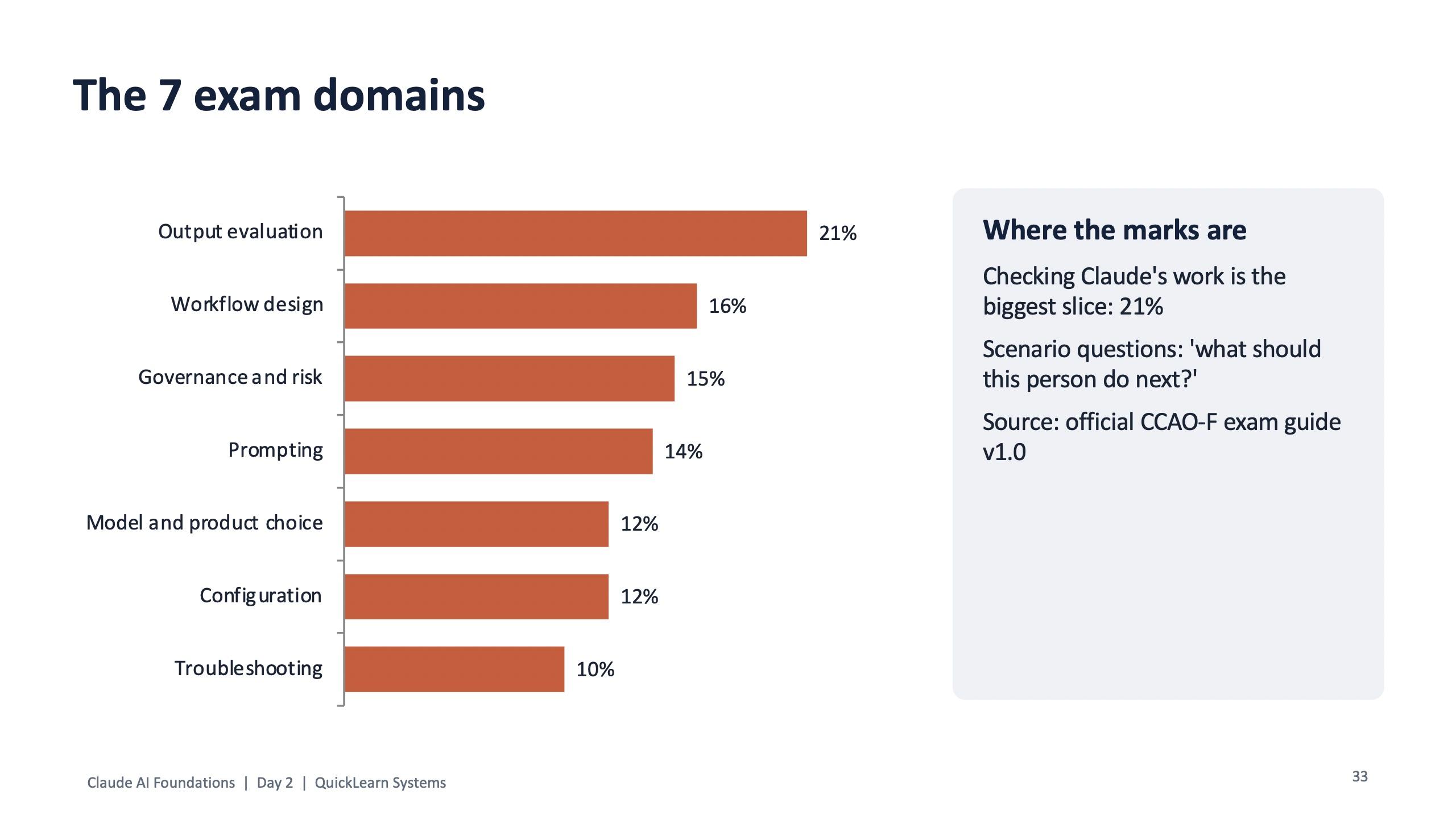
Module 9 laid out Anthropic's four Claude certifications and who each is for: Associate (Foundations) for people who use Claude without coding, Developer for API, Claude Code and MCP work, Architect for people who design agent systems, and Architect Professional for enterprise scale. For this batch the Associate exam was the target. The module walked through the seven exam domains and where each one had already been practised during the two days, then covered registration and exam-day tips.
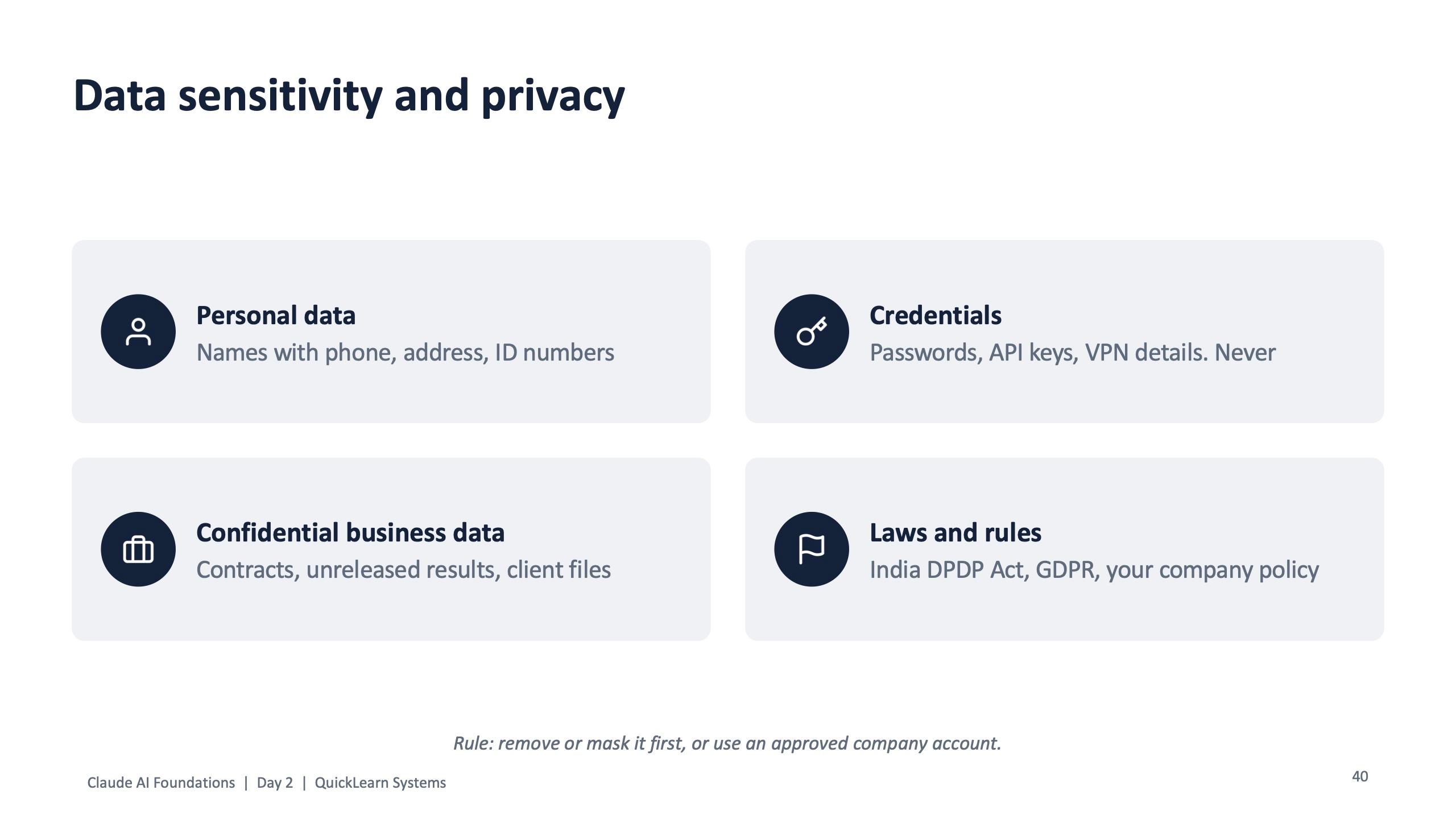
Module 10 filled the remaining exam topics in short, clear slides: choosing between Haiku, Sonnet and Opus; memory and code execution; data sensitivity and privacy, including India's DPDP Act and GDPR; prompt injection; bias and human oversight; Team and Enterprise admin controls; and the four kinds of wrong answers (made-up facts, wrong numbers, mixed sources and false confidence).
The afternoon ended with a 20-question scenario practice exam. During the review, people were asked two questions for every item: which domain was it, and why is the right answer right? A 30-day roadmap followed: learn in week 1, build one Project, one Skill and one scheduled task at work in week 2, go further with Cowork, connectors and Agent Skills in week 3, and prepare and book the exam in week 4.
If time allowed, a bonus module showed Claude Code building the cohort's own practice quiz app from a plain description. The closing slide asked three things before people left: pick your exam date, choose one workflow to use at work next week, and fill in the feedback form.
What the cohort took home
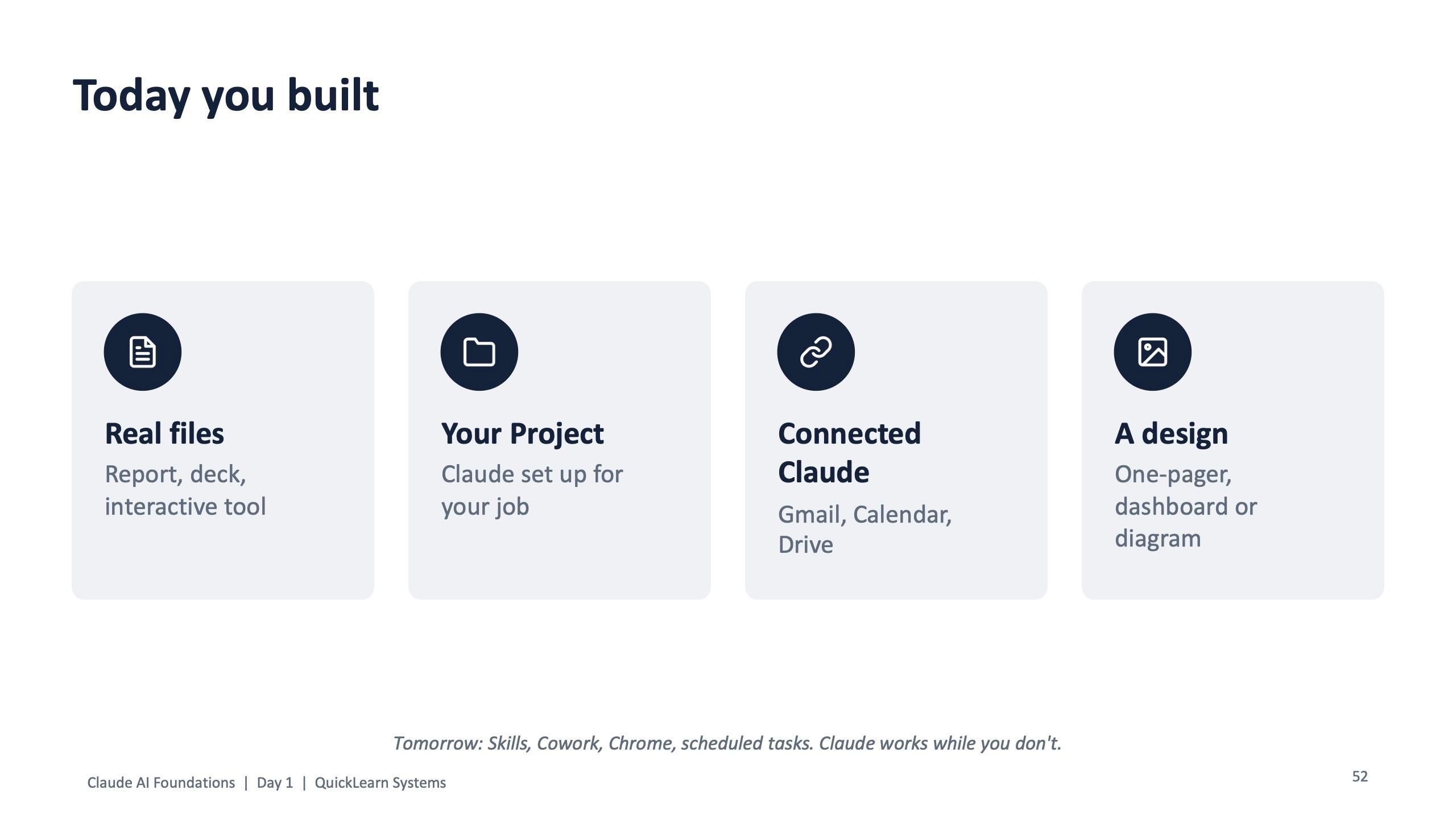
- A Word report, a 5-slide deck, an interactive tool and a design built from their own role files
- A Claude Project set up for their role, with instructions and knowledge files
- Two connected workflows on Gmail, Calendar and Drive, with permissions they chose
- A Cowork hand-off pattern for messy multi-file jobs, with guard rails
- The 2-minute check, the five checks and the fix loop for any AI output
- A practice exam, a revision sheet, a 30-day roadmap and a list of resources for the CCAO-F exam
Why this format works
Three design choices did most of the work. First, a single fictional company with a story, so every role had real-looking files and nobody risked real data. Second, the rhythm of every module: one live demo, then a hands-on slot where people repeat it on their own role files. Third, checking got as much time as making. Output evaluation appears on Day 1, again in the Day 2 lab, and again in the exam preparation, because it is both the biggest exam domain and the habit that keeps AI output safe at work.
We do not claim hours saved for this cohort; we did not measure them. The evidence is the list of things each person built, which is on the slides above.
Takeaway for other organisations
If you want your team to save time with Claude, train them to produce finished files and to check them, using practice data that looks like your business. The same two-day structure can be rebuilt around your roles, your tools and a practice company modelled on your own work, online or on-site.
To run a Claude Foundations program for your team, get in touch through the contact page.
Frequently asked questions
Is there a Claude training program that prepares teams for the Claude Certified Associate exam?
Yes. Surendra Pandar runs a two-day Claude AI Foundations program that covers the CCAO-F exam domains through hands-on labs, a 20-question practice exam and a 30-day roadmap. It was delivered for QuickLearn Systems on 31 October and 1 November 2026.
Does the Claude training need coding skills?
No. The program is built for project managers, analysts, consultants, HR, marketing and operations people. Claude Code is shown only as a bonus demo.
Does the training use our real data?
No. All exercises use a fictional company, Nuvora Home, and prepared practice files. Participants also learn what should never be pasted into an AI tool, including personal data and credentials.
What is the difference between Claude chat and Cowork?
In chat you ask and Claude answers, and you do the next step. In Cowork you give a job and a folder; Claude makes a plan, works through the files and hands back finished work, asking before risky actions.
Can the program run online?
Yes. The QuickLearn cohort ran live online over two days, with build-along labs. The same program can also be delivered on-site.